

Pinner · Browser extension
Save refs from any web page, straight into Pinner Studio.
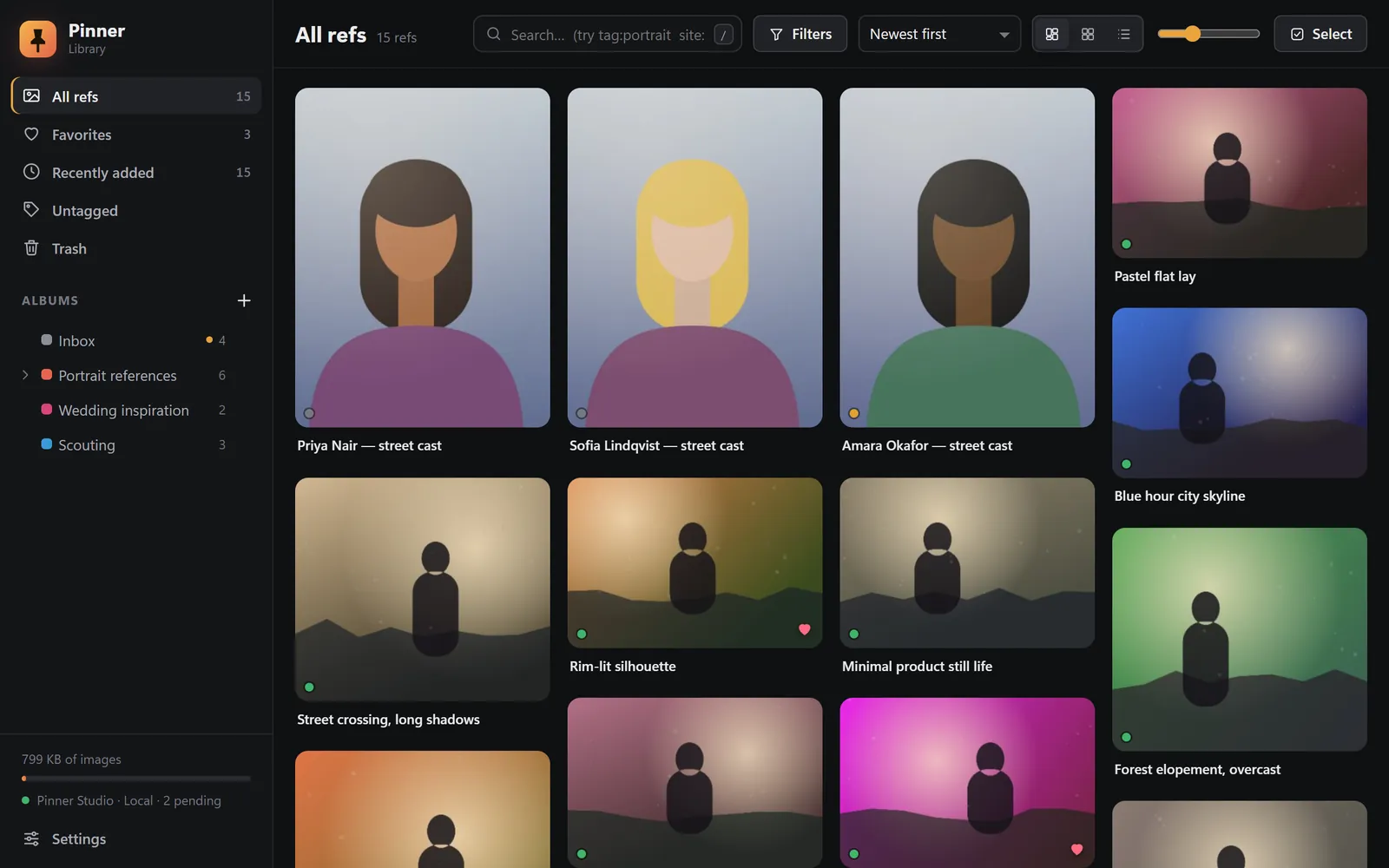
The Pinner extension is Pinner Studio's eyes in the browser. Right-click any image to save it as a ref, with its source and credit, and it arrives in Studio within seconds. It needs no account.
For Chrome, Edge, Brave and other Chromium browsers. Available to alpha testers now; the store listing is coming.
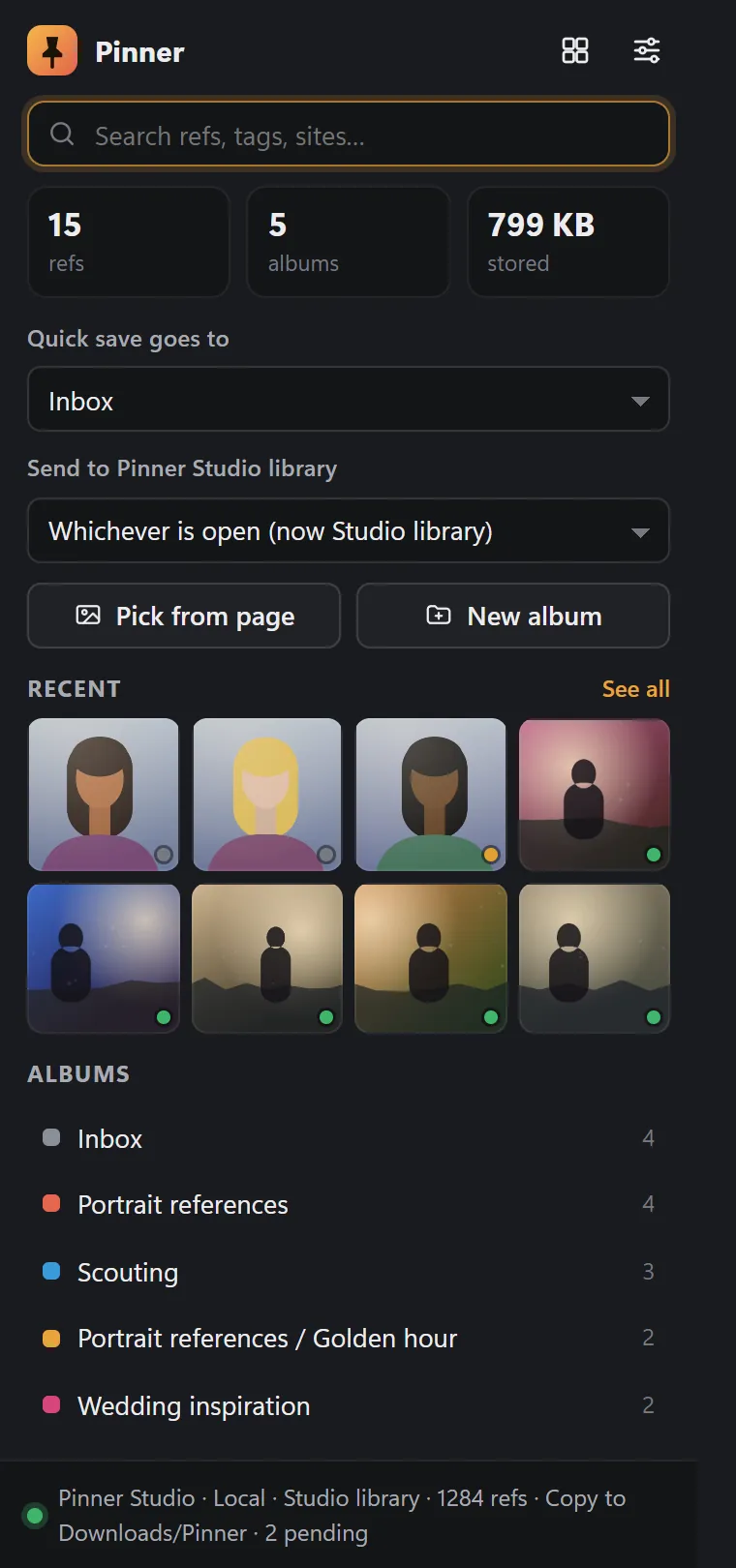
Save with details
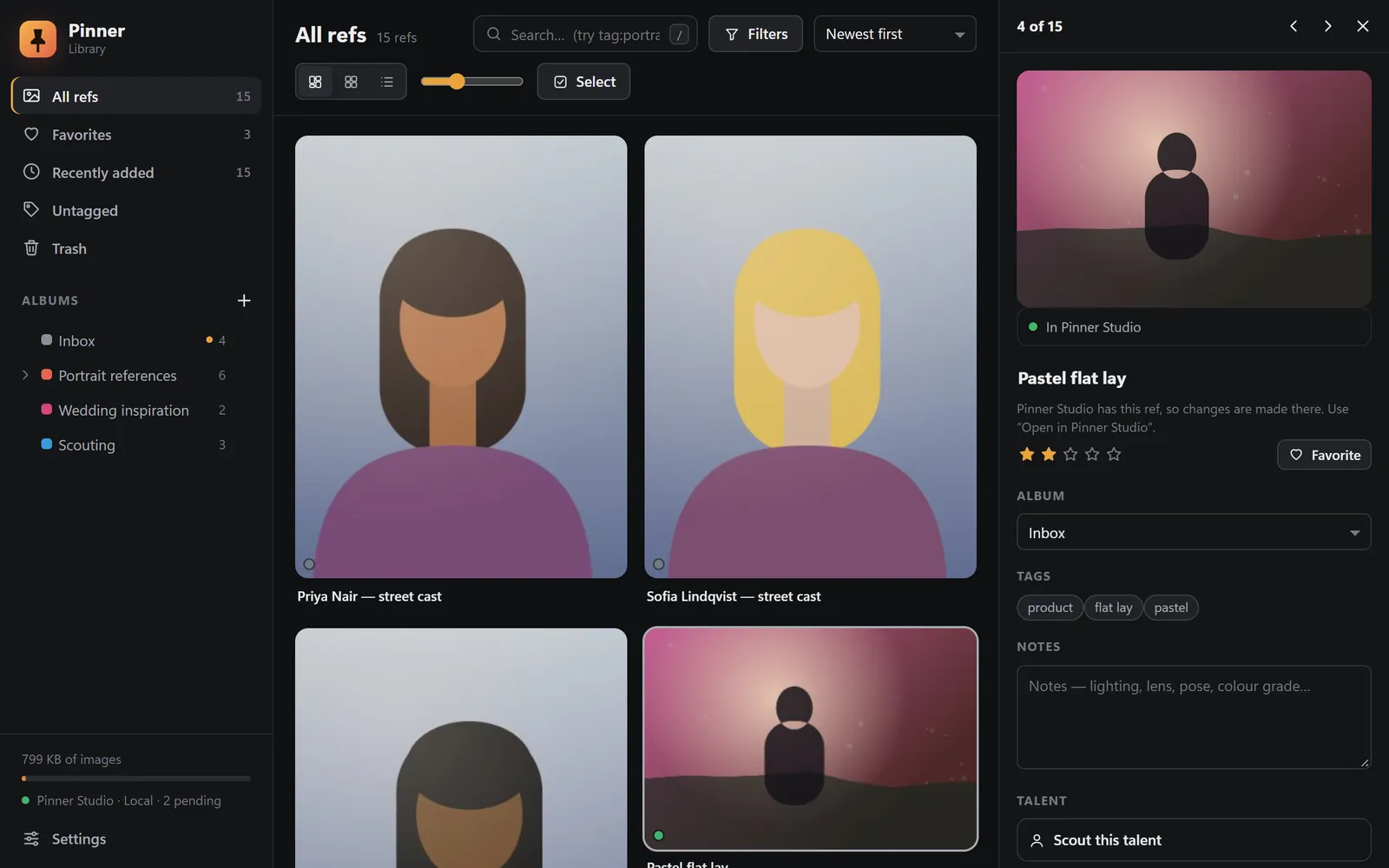
Preview at true pixel size, then add a title, album, tags, notes, a 1–5 star rating and a favourite. Under Also in Pinner Studio, put the ref straight onto a project, a mood board or a shoot's shot list. Credit and licence are picked up from the page. Ctrl+Enter saves.
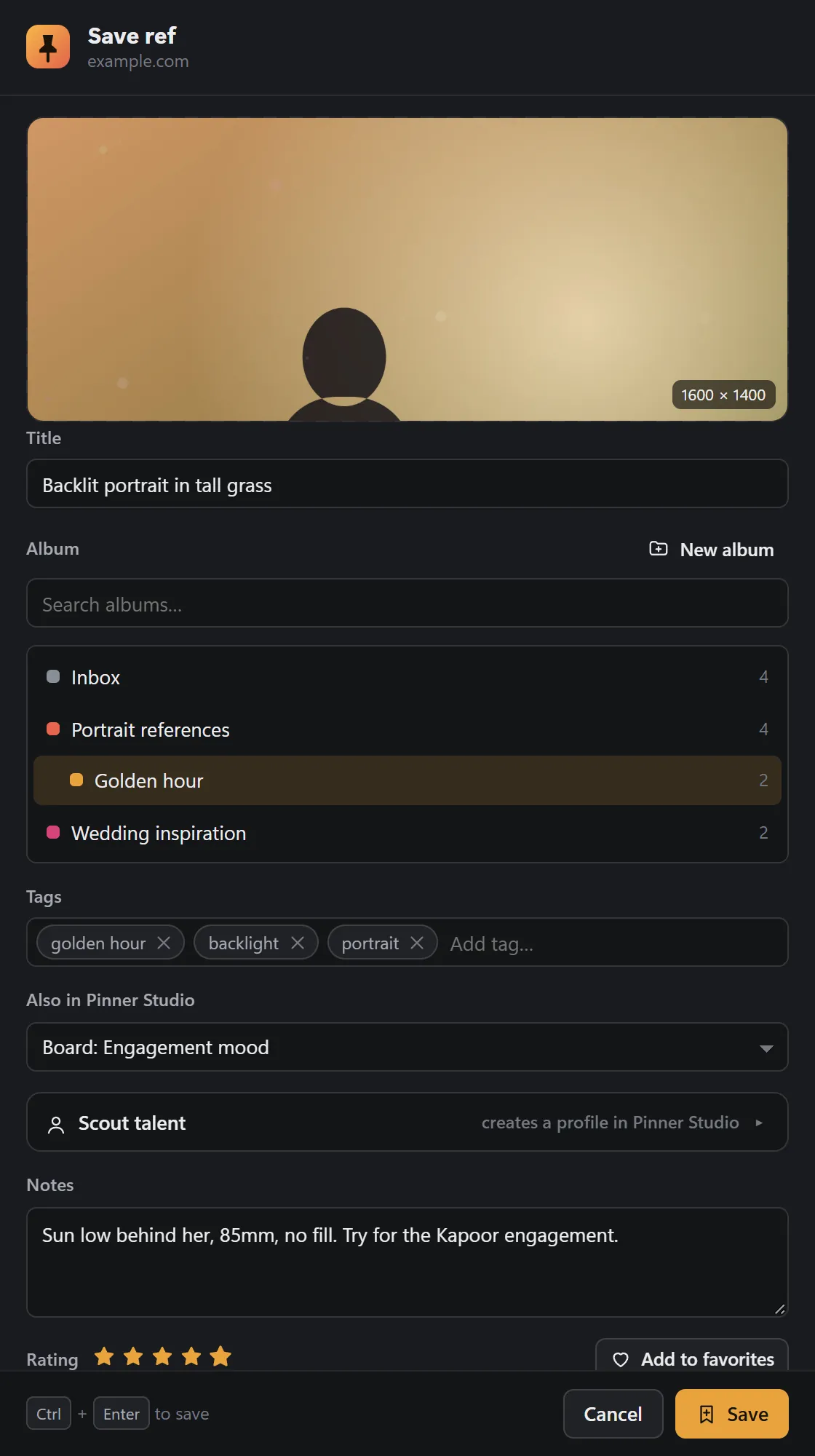
Scout talent
Spot a model online and create a talent profile in Studio: name, @handle, agency, height, city, contact, website and scouting notes. Add to casting picks a casting and role, and they arrive as a candidate.
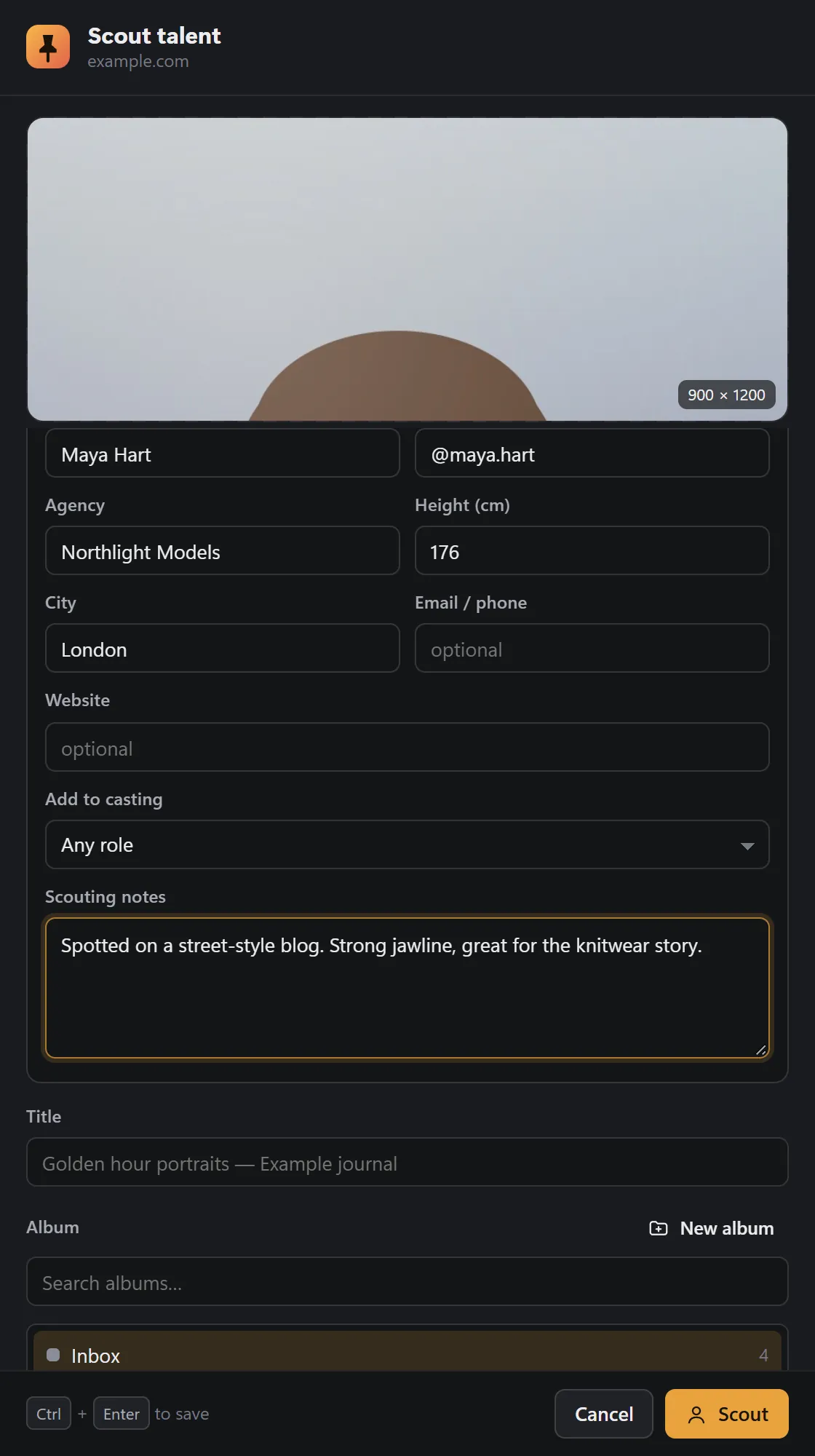
A library in your browser
All refs, favourites, recently added, untagged and trash; nested, coloured albums; grid, masonry and list views; search like tag:portrait. Each card has a delivery dot: green is In Pinner Studio, grey is Waiting.
Studio becomes the master copy
Once Studio has a ref, Studio holds the master copy and editing locks in the browser, with Open in Pinner Studio one click away. Until then, everything stays editable.
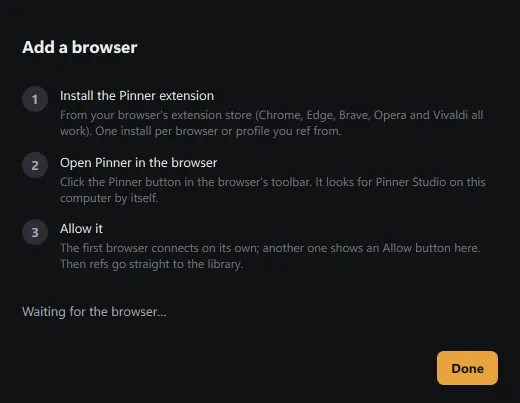
Pairs once, then just works
The extension finds Pinner Studio on your computer by itself. Click Allow there, once. No Pinner server sits in between.
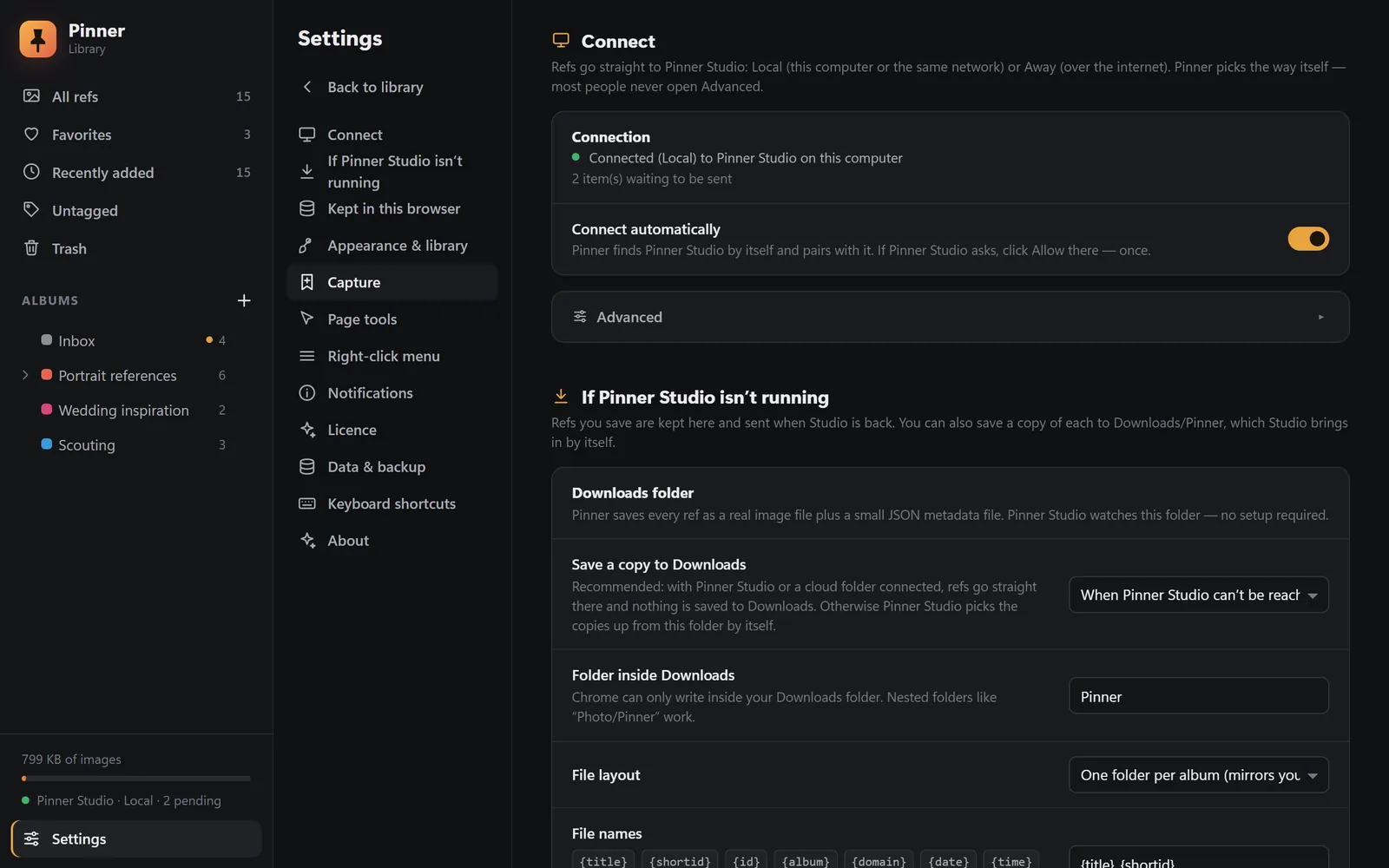
It never loses a ref
If Studio is closed, refs wait in the extension's Outbox and go across the next time it runs. You can also keep a copy in Downloads/Pinner, which Studio picks up by itself. With several Studio libraries, a ref waits for its own library.
What the right-click menu can do
- Save ref: quick save to your chosen album, Save with details…, Scout talent…, any album (nested albums open as sub-menus) or New album…
- Save ref to board: every mood board in Studio, with its project.
- Save linked image as a ref, on links that point at an image.
- Save background image under cursor and Pick images from this page…
- Add to gear wish list from a shop page (off by default).
- Scout this profile… and Mark this place for shoot, from a map link or selected text, matched offline to a town.
And the details that matter
- Full resolution: thumbnail addresses on common sites are upgraded to the original image.
- Credit & licence capture: the page's credit line and licence travel with the ref.
- No duplicates: the same image isn't saved twice.
- Hover Save button on images (can be turned off).
- Shortcuts: Alt+Shift+S save, Alt+Shift+P pick from page, Alt+Shift+L open the library.
- Presets: a .prec or .xmp preset found on the web is offered to the Studio Editor.
- Dark and light themes.
- No account and no analytics.
Private alpha · Applications open
Try Pinner Studio before anyone else.
Pinner Studio and the Pinner browser extension are being tested now by a small group of working photographers on Windows 10 and 11. Apply in two minutes; we read every application.