

Pinner Studio · Albums & books
From the last frame to the finished album, in one app.
Pinner Studio designs the book for you, in story order, with the best frame of every burst, faces kept out of the fold and every photo checked for print. Then you make it yours, send the client a proof they can approve page by page, and hand the lab files it will print without a question.
- 1
It designs the first draft for you
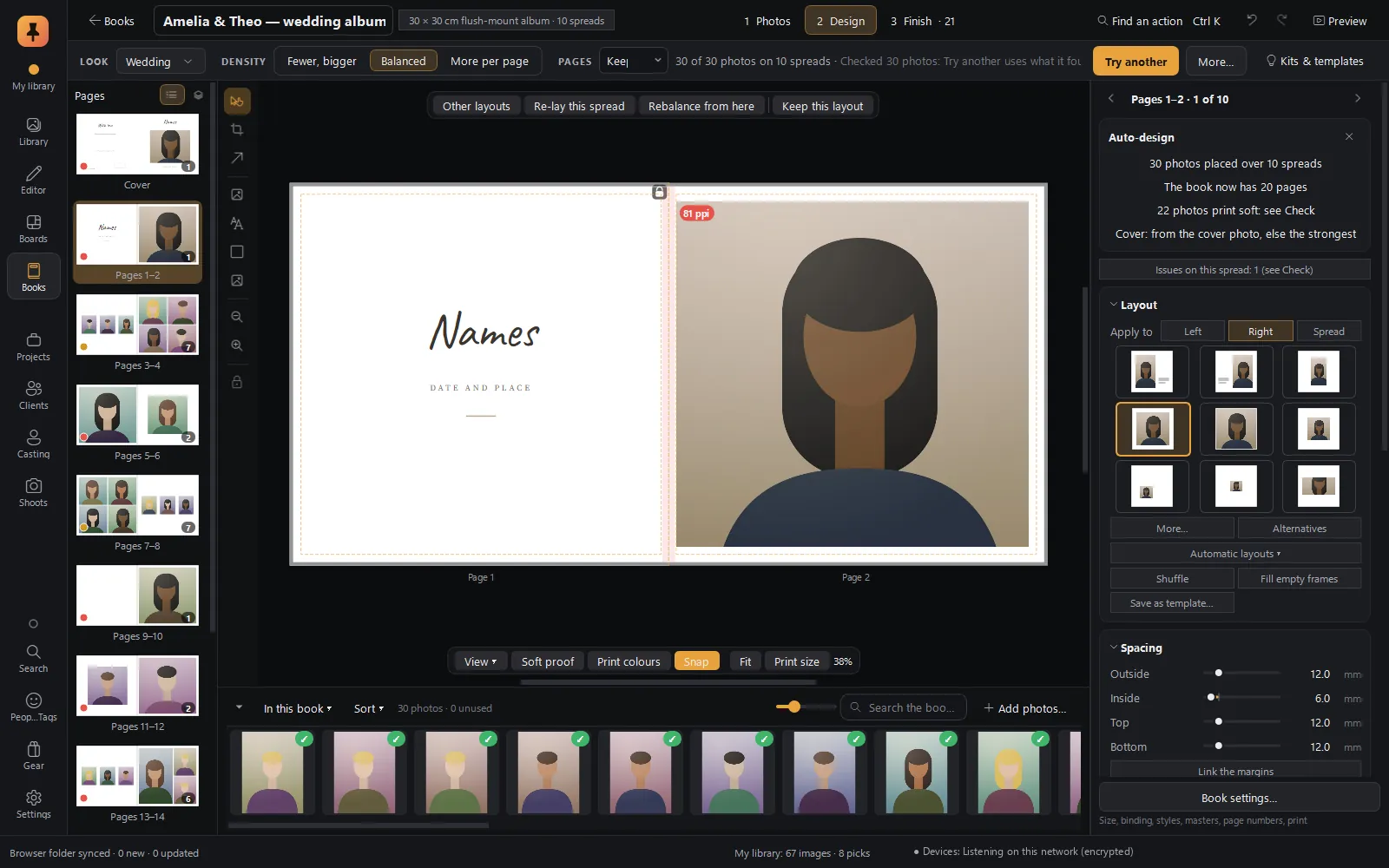
Choose a look and a size, and Auto-design lays out the whole book from your picks in the order things happened, with the strong pictures big and the quiet ones together.
- 2
It knows what a printer knows
Bleed, safe area, the fold, resolution and fonts are checked on every page, with a button that fixes each problem.
- 3
It closes the job
Client proofs with page-by-page approval, a quote from your own price list, and lab-ready PDF/X-4 files, all from the same book.
Start here
What makes Books stand out
Albums and photo books are where many photographers make their money. In Pinner Studio a finished shoot becomes a print-ready book in the same app, from the same library.
★ Auto-design
Auto-design that tells the story
- Story order: photos laid out in the order things happened, by capture time. A second shooter's camera clock can be set right, so both cameras fall into one timeline.
- Bursts: only the best of each burst is used, and near-duplicates are skipped.
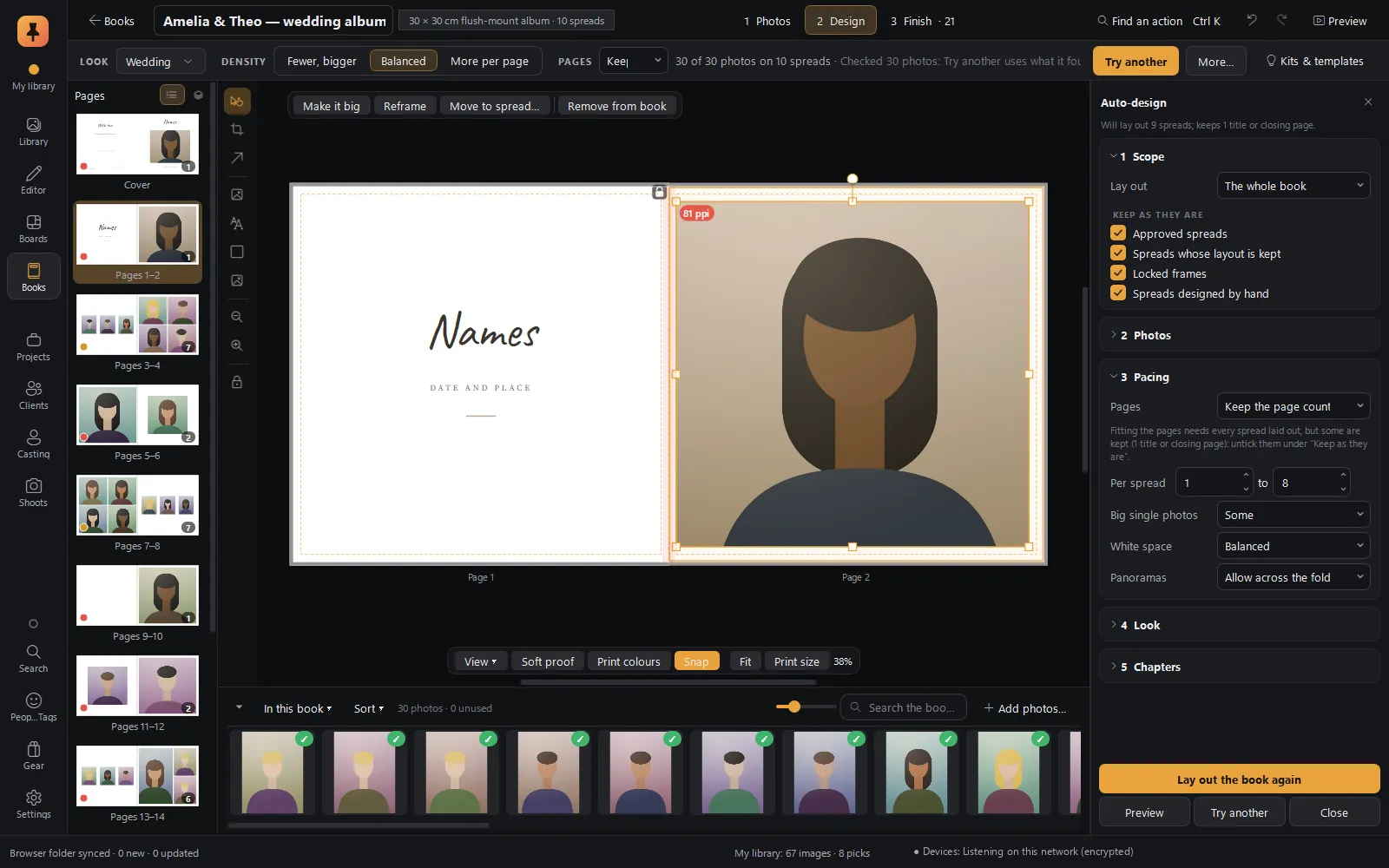
- Heroes: your picks and highest-rated photos get the big frames and full spreads.
- Moments: photos taken close together stay together on a spread.
- Faces: smart cropping keeps faces whole and out of the fold. A panorama may cross the fold, unless a face would land in it.
- Weak frames left out: soft photos and closed eyes can be skipped, using the same checks as Cull.
- Chapters from the shoot's natural breaks, if you want them.
Everything Auto-design proposes is shown first as a preview. Apply makes it one undo step; Try another shows a different design from the same photos.
Choose your picks. Pinner lays out the story.
★ Client proofs
Client proofs with page-by-page approval
Make a proof for the client… builds a proof the client opens in any browser, with nothing to install and no account, plus an optional watermarked PDF. On each spread the client can approve, comment or ask for a different photo.
Their answers come back as a small, signed reply file, so Pinner knows it wasn't altered. Import it, and approved spreads lock, comments land on their spreads, and Changes the client asked for… lists what's left to do. Change an approved spread and Check says so.
Approval, spread by spread, with no back-and-forth emails.
★ It understands print
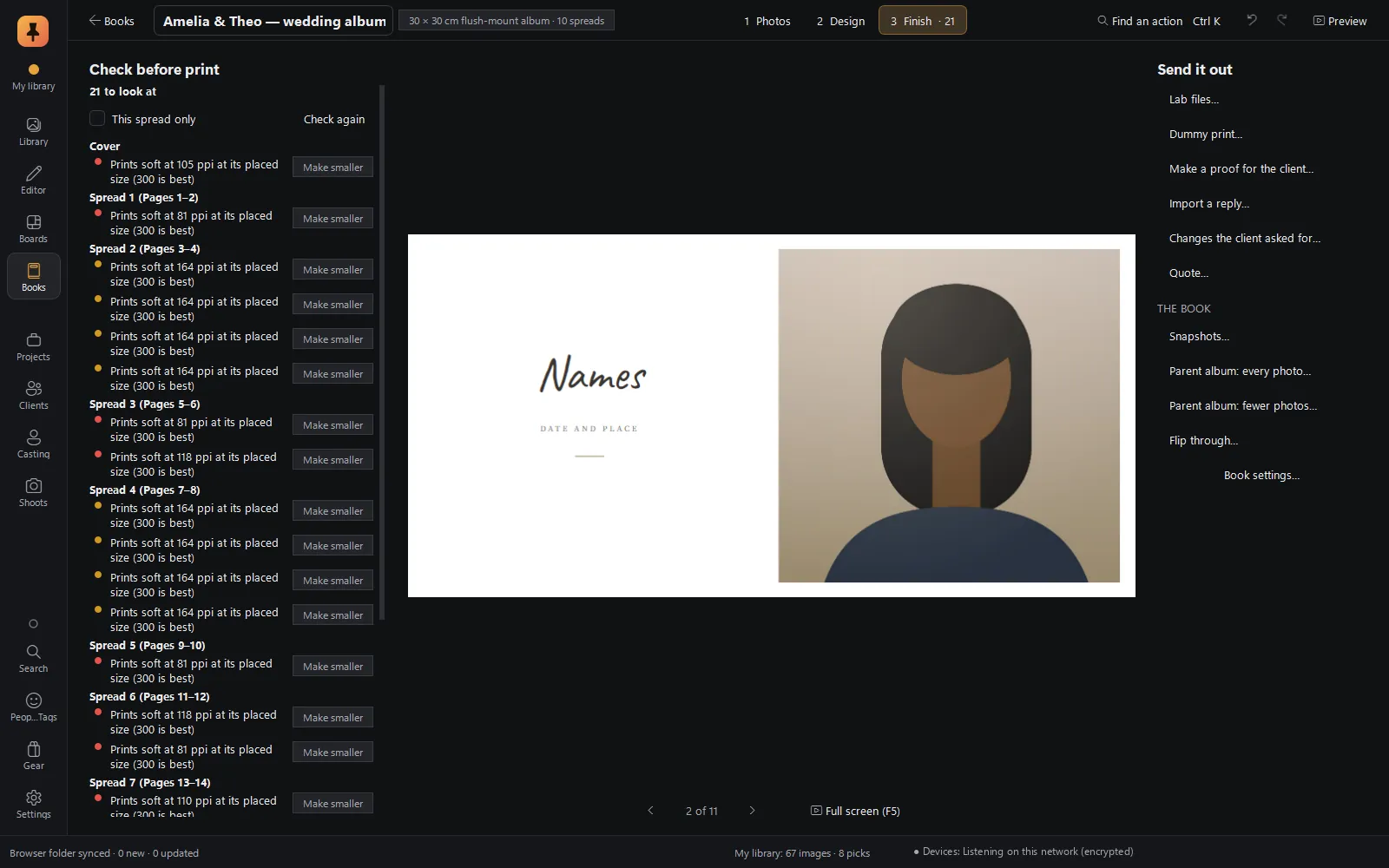
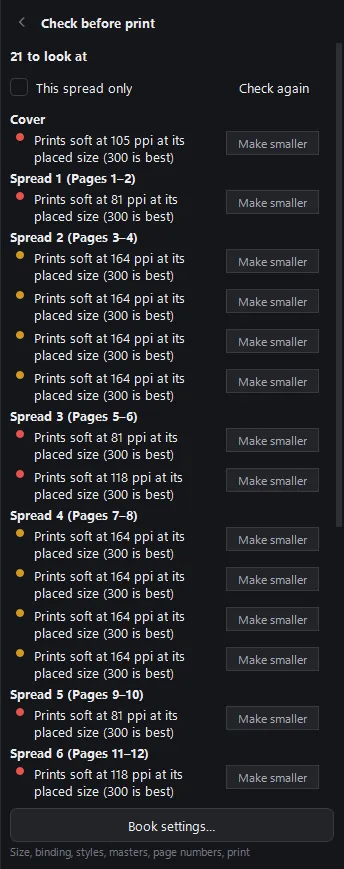
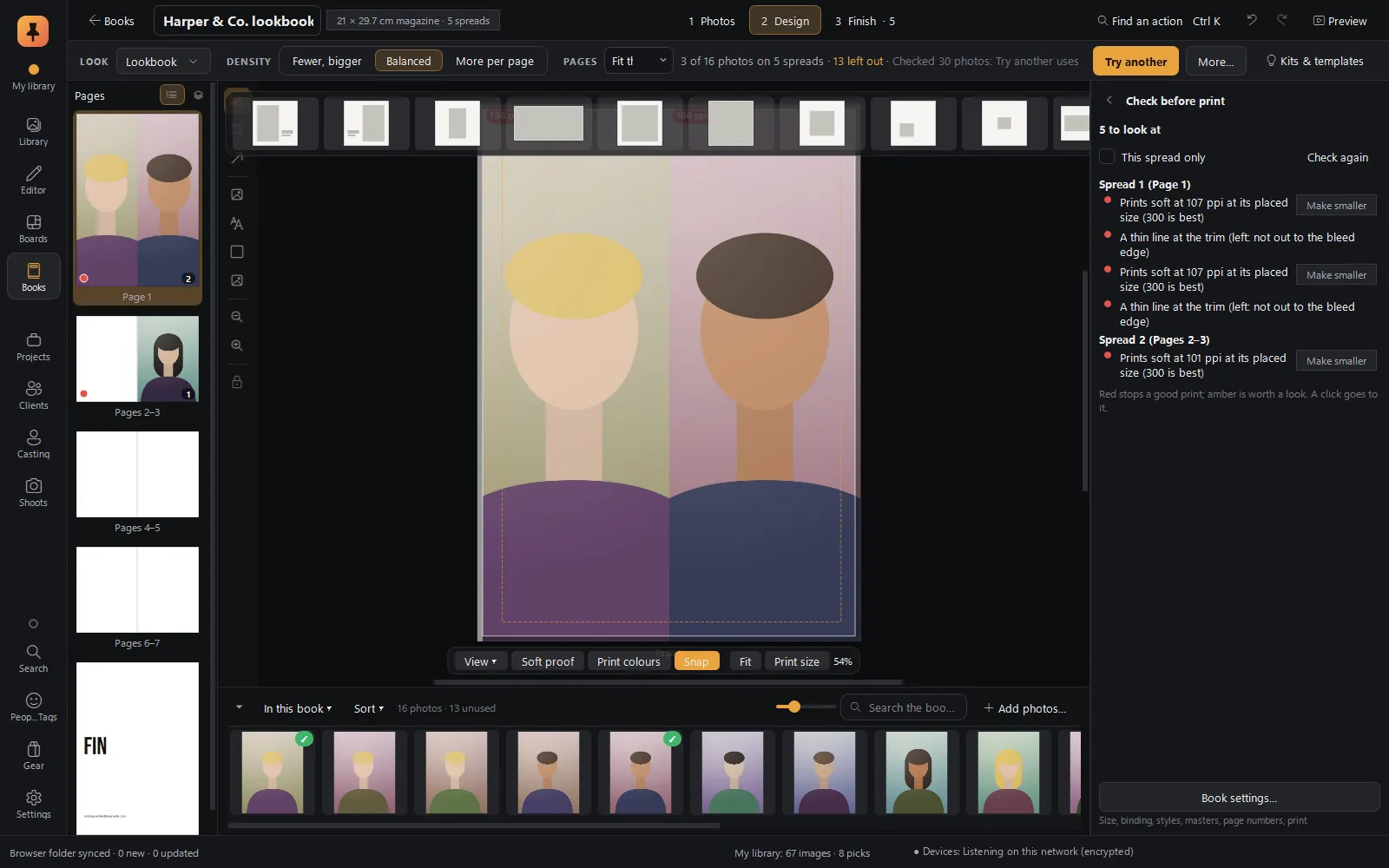
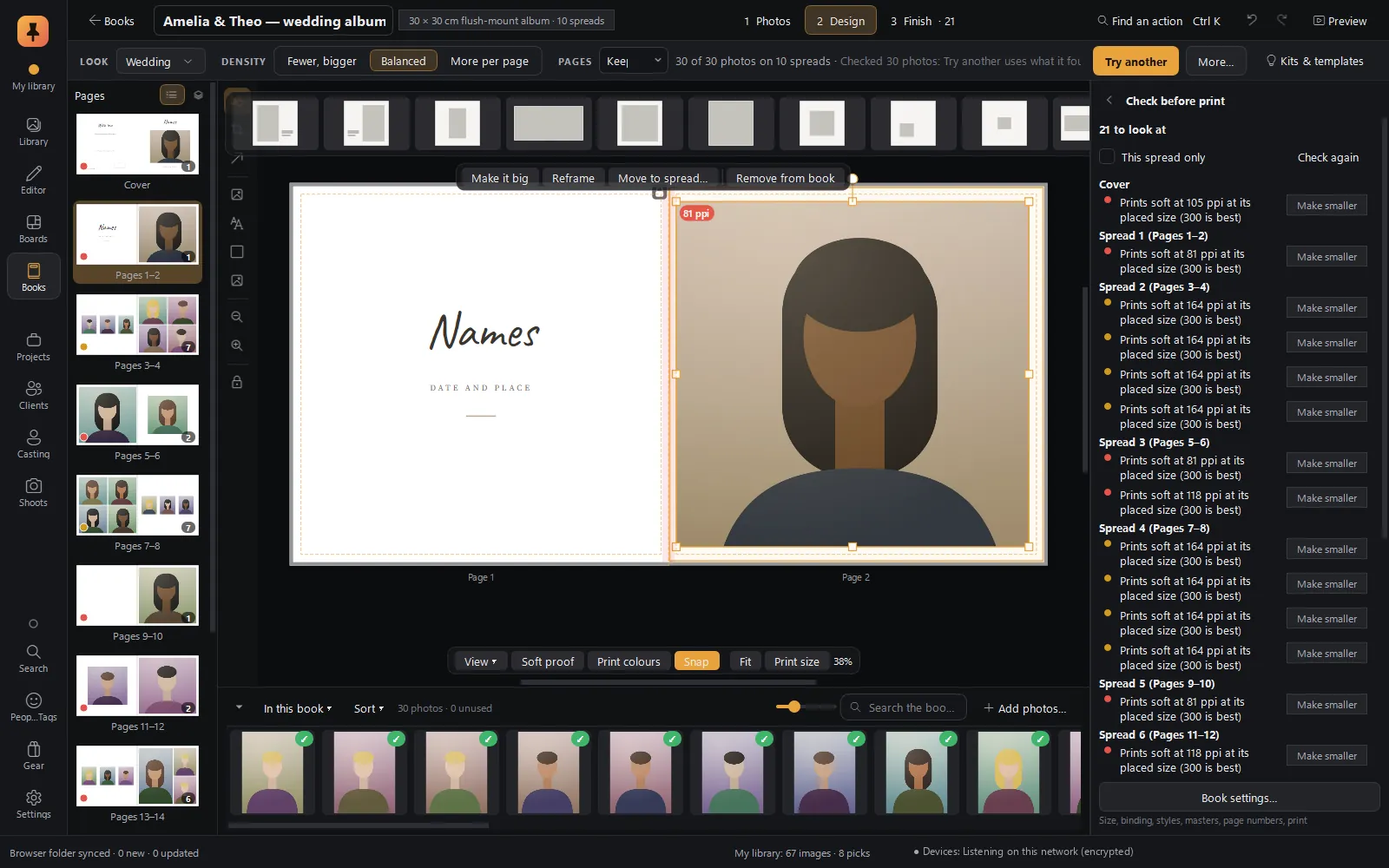
The Check panel reads every page the way a lab's prepress team would, and lists each issue with the page it's on and a button to fix it.
| It checks | For example |
|---|---|
| Resolution | A photo enlarged too far to print sharp (Make smaller). |
| The fold | A face or text falling into the gutter (move the face out, or a taller frame). |
| Safe area and bleed | Faces, text or the cover's words too near the trimmed edge. |
| Text | Text that doesn't fit its box, or a spine title that won't fit the spine. |
| Empty and stray | Empty frames, slivers of photo at a page edge, photos used twice. |
| Files | Photos on a drive that isn't connected, and web refs that aren't yours to print. |
| Fonts and pages | Fonts that can't be embedded in a print file; a page count the binding can't take. |
| Approval | Spreads changed after the client approved them. |
Resolution warnings also show as ppi badges on the photos, and Print colours dims the colours a printing press can't reach.
Find out about the soft photo and the face in the fold before the lab does.
★ Files the lab prints without a question
- Every spread as JPEG or TIFF, or the whole book as PDF/X-4 with proper trim and bleed boxes.
- The cover flat, with spine.
- A spec sheet and the print-check report as PDFs.
- All of it in one ZIP, ready to upload. Plus a dummy print for checking a layout on your own printer.
★ Parent albums in a click
Parent album: every photo… moves the whole design onto a smaller size, spread by spread, and lists any spread worth a second look. Parent album: fewer photos… makes a smaller book of the favourites in the same style. A parent album stays linked to the main book and can be made again after changes.
Two parent albums before the couple has finished the first one.
★ Looks, kits and your brand
A book starts from a look: Wedding, Fine art monograph, Portfolio, Travel journal, Documentary, Yearbook, Lookbook or Exhibition catalogue, each a design kit of layouts, type, paper colour and caption style, shareable as one .pinkit file. A brand kit with your name, website, logo, fonts and accent colour fills the copyright page, colophon, About the photographer page and back cover for you.
★ A quote from your own prices
Quote… turns the book into a PDF quote from your own price list: a price that includes some spreads, a price per extra spread, extras such as a slipcase or a rush fee, and tax. Ready to send.
Six steps
The workflow at a glance
- 1Start a bookFrom the shelf: a look, a size and a page count.
- 2Choose the photosThe Photos stage, with culling badges for frames to think twice about.
- 3Let it designAuto-design lays out the whole book in story order.
- 4Make it yoursThe Design stage: layouts, text, cover, pages.
- 5Check itEvery print problem, with a fix.
- 6Send it outThe Finish stage: proof, quote and lab files.
Shoot → cull → edit → book → client approval → print. The three stages, Photos · Design · Finish, sit in a bar across the top of the designer.
Getting started
The shelf, the sizes and the first step
The shelf
Every book as a cover, with its status (Draft, With client, Approved, Sent to lab, Delivered, Archived), its project and its due date. Start a book from anywhere: right-click a selection in the Library, Cull or the Editor and choose Make a book….
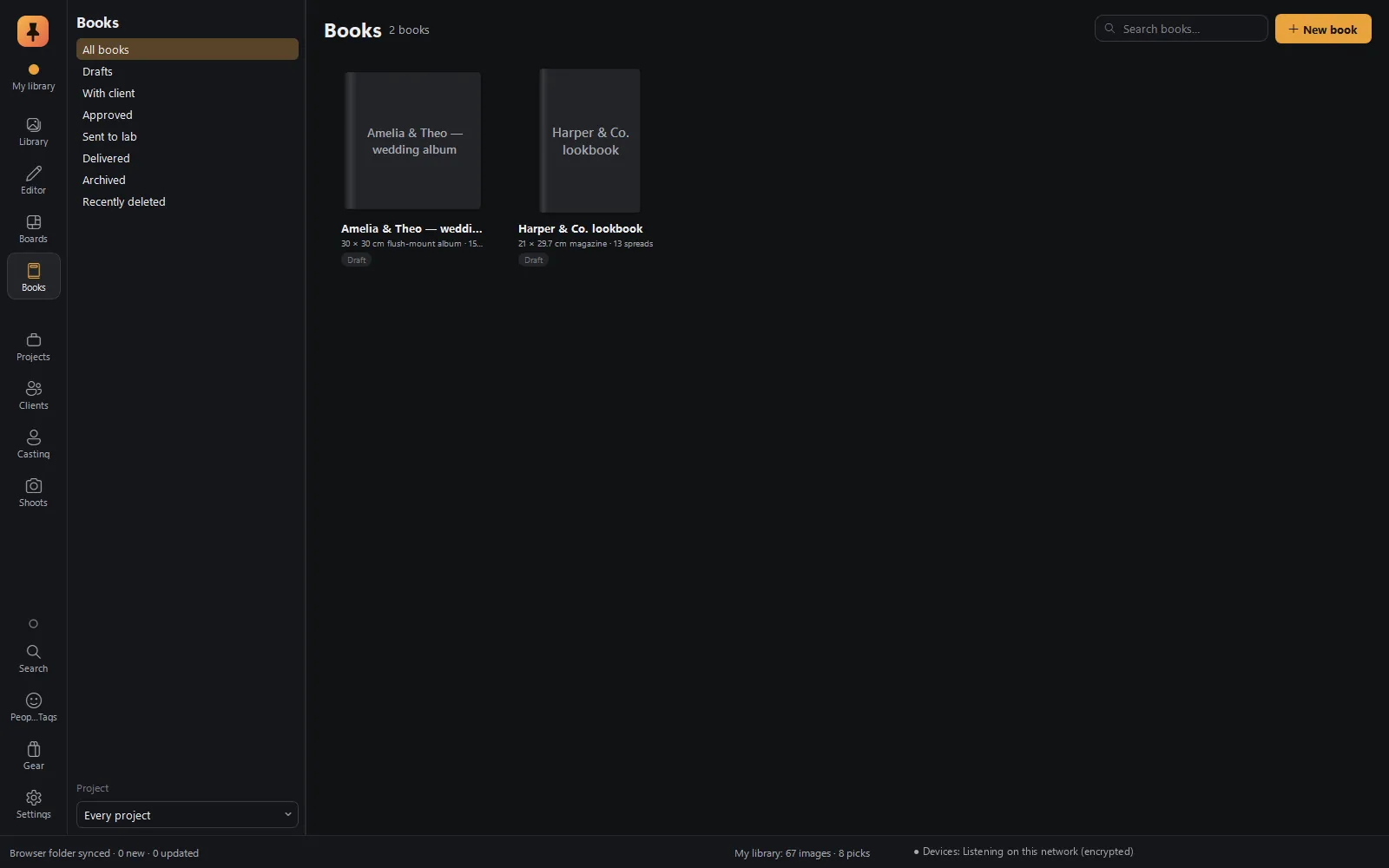
Starting a book
Name it, choose a look (the right one is suggested for your photos), a size and enough pages to fit the photos. Then Design my book runs Auto-design straight away, or start empty.
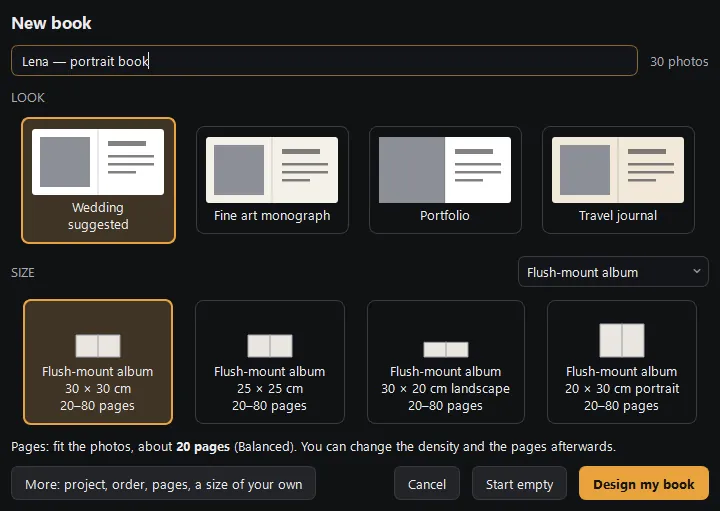
Any size your lab makes
Seventeen ready sizes, and a Size & binding editor to match your lab exactly: trim size, bleed, safe area, gutter, the paper lost in the binding, the steps pages come in, and spreads or single pages. Share a size as a .pinspec file.
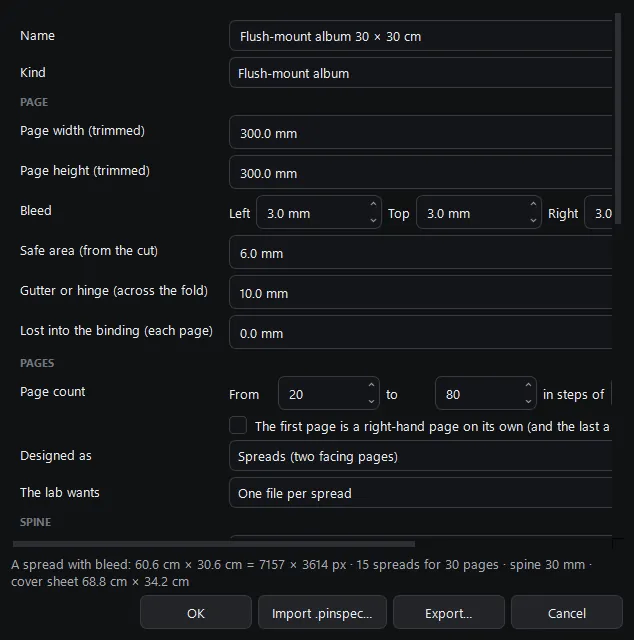
Seventeen ready sizes
| Binding | Ready sizes |
|---|---|
| Flush-mount | 30×30, 25×25, 30×20 and 20×30 cm |
| Layflat | 30×30 and 25×20 cm |
| Hardcover | A4 landscape, 21×21, and 30×30 with dust jacket |
| Softcover | 20×20 and A5 |
| Magazine | A4, stapled |
| Portfolio prints | A4 and A3 |
| Yearbook | A4 |
| Parent album | 20×20 and 15×15 cm |
Make it yours
The designer
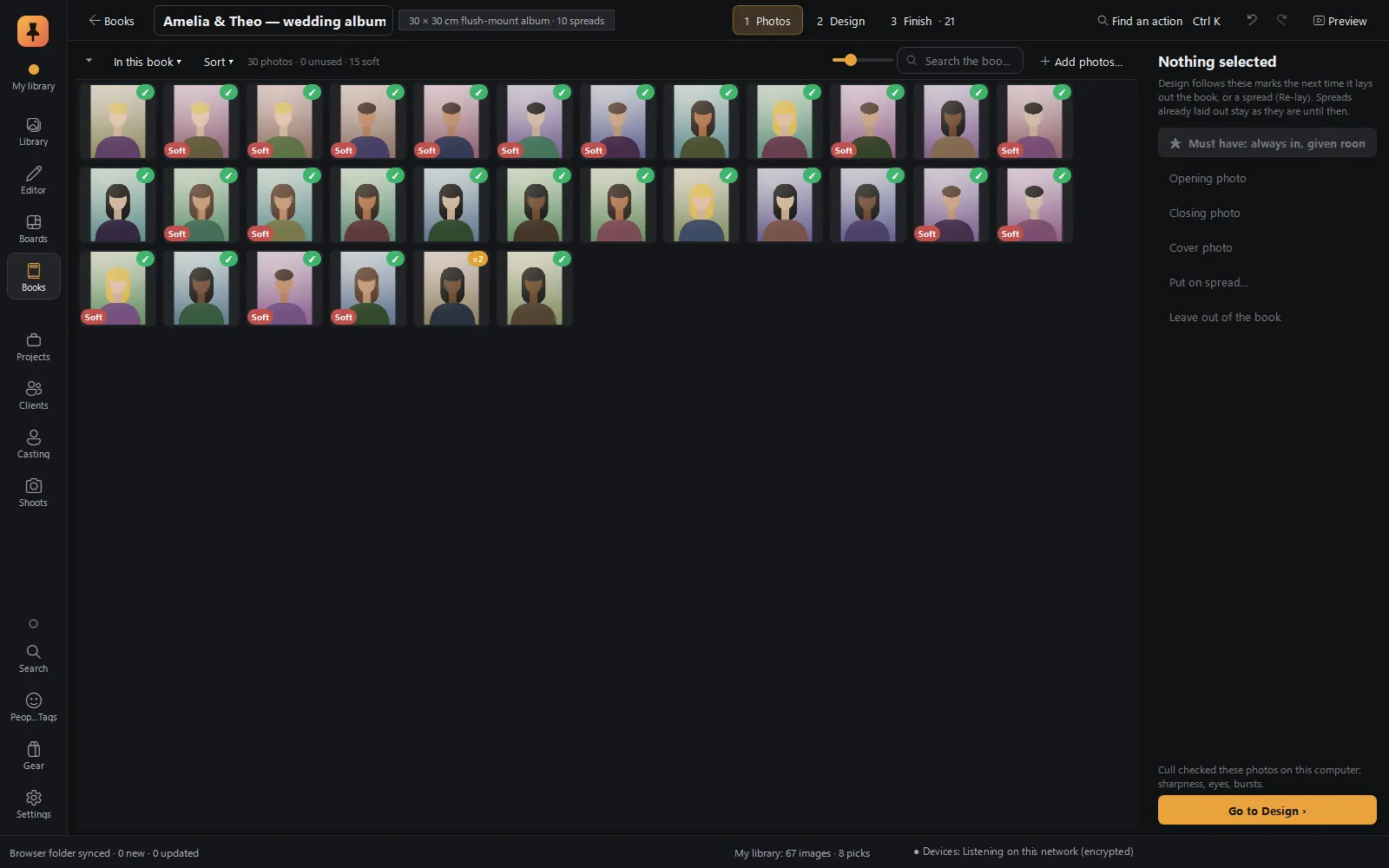
The Photos stage
The photo tray at full size, for choosing what goes in. Culling badges (Soft, Eyes closed, Bursts) show which frames to think twice about. Mark a photo Must have, the opening or closing photo, the cover, a spread of its own, or leave it out, and Auto-design follows your marks.
On the spread
| Selected | Actions |
|---|---|
| A photo | Make it big, Reframe (with a ghost of the whole photo showing what's cropped), Move to spread…, Remove. F fits or fills; Shift-drag onto another photo swaps them. |
| Text | Style, size, wrap, and box hugs letters. |
| Nothing | Other layouts (L), Re-lay this spread, Rebalance from here, Keep this layout. |
The book keeps up with you. Re-lay a spread, rebalance everything after it, or drop new photos in, and Pinner places them where they belong in time. Smart guides snap frames to each other and the page.
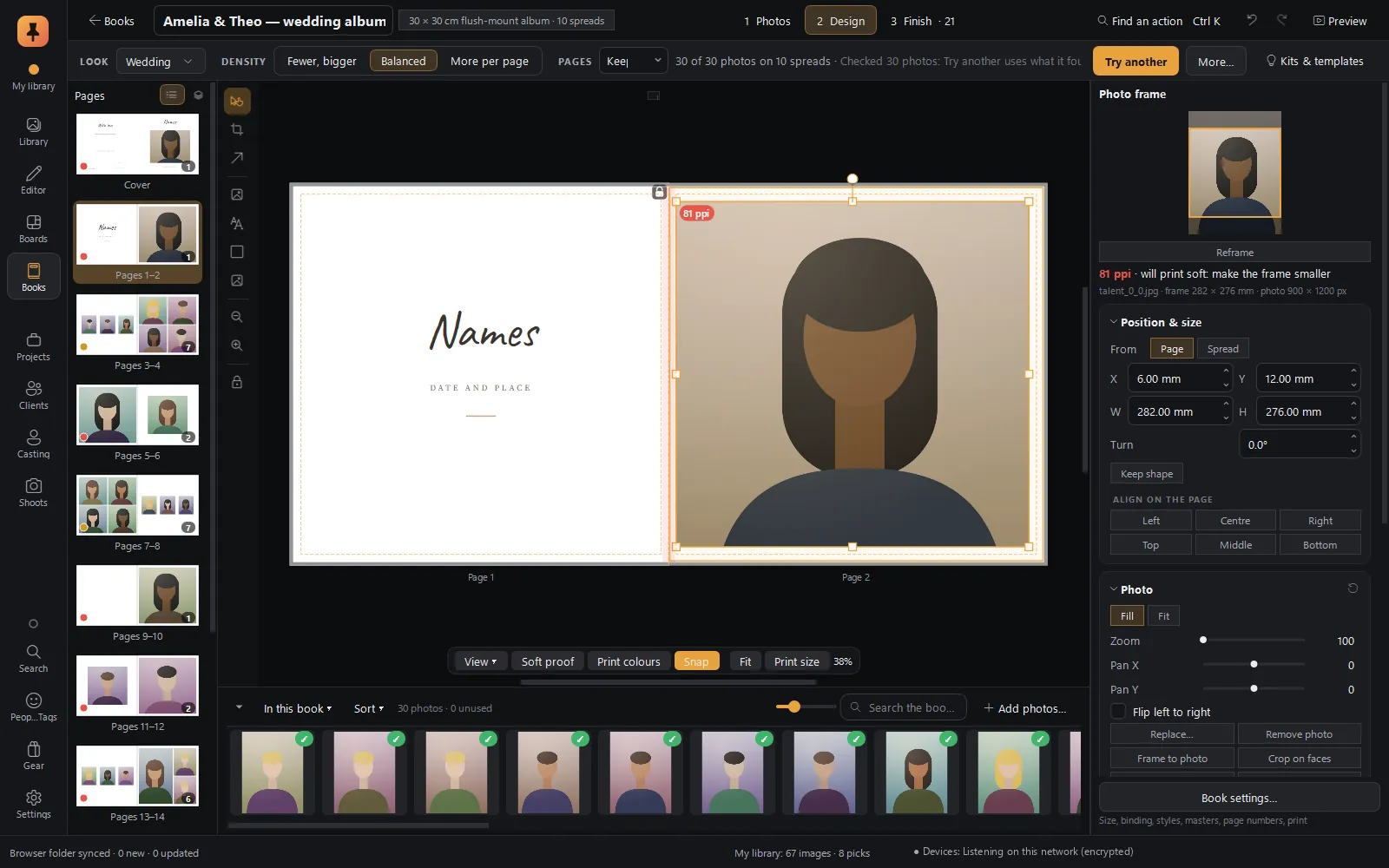
Not just weddings
The same designer makes a magazine-style lookbook, a portfolio, a travel journal or a fine-art monograph. Change the look at any time, set the density (fewer and bigger, balanced, or more per page), and press Try another for a fresh design from the same photos.


Every detail
The side panel

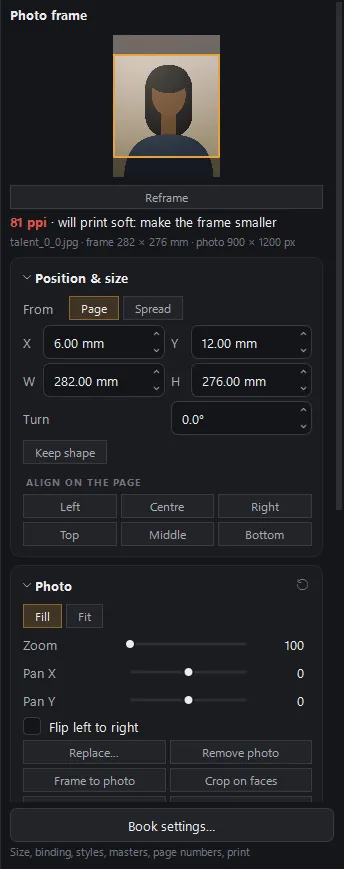
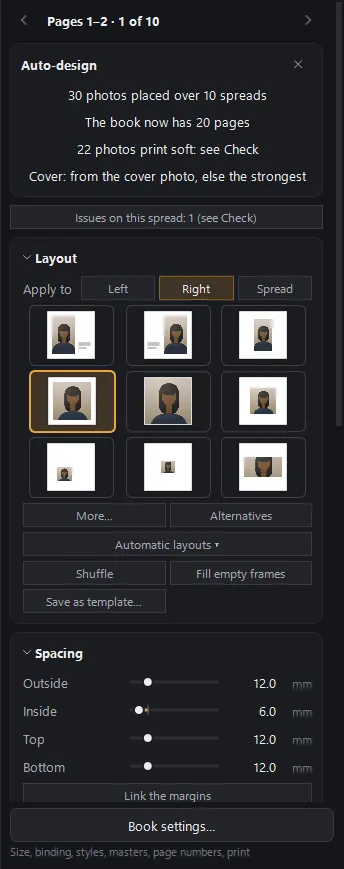
Pages · Selection · Page
Pages
Every spread as a list or a grid. Drag to reorder, group into chapters, and see each spread's proof status and lock at a glance.
Selection
Position, size, framing and borders; for text, the font, size, colour, alignment, columns, wrap around photos and text effects.
Page
Layouts for the left page, the right page or the whole spread, Alternatives that fit the same photos, shuffle, fill empty frames, save as template, and spacing.
Template families
Classic, Gallery, Editorial, Cinematic, Quiet, Collage, Album and Cover, plus opener, closer and chapter pages, and Mine for your own.
Finishing touches
Words in the book, and safety nets
The pages books have
Half-title, copyright, dedication, epigraph, foreword, contents, list of plates, about the photographer, colophon and section openers, each added in a click and filled in for you. The contents and list of plates update themselves.
Captions
Made automatically from each photo's details, in the kit's caption style.
Fonts
A set of open-licence fonts comes with the app, a few more download on request, and Check warns about any font that can't be embedded.
Safety nets
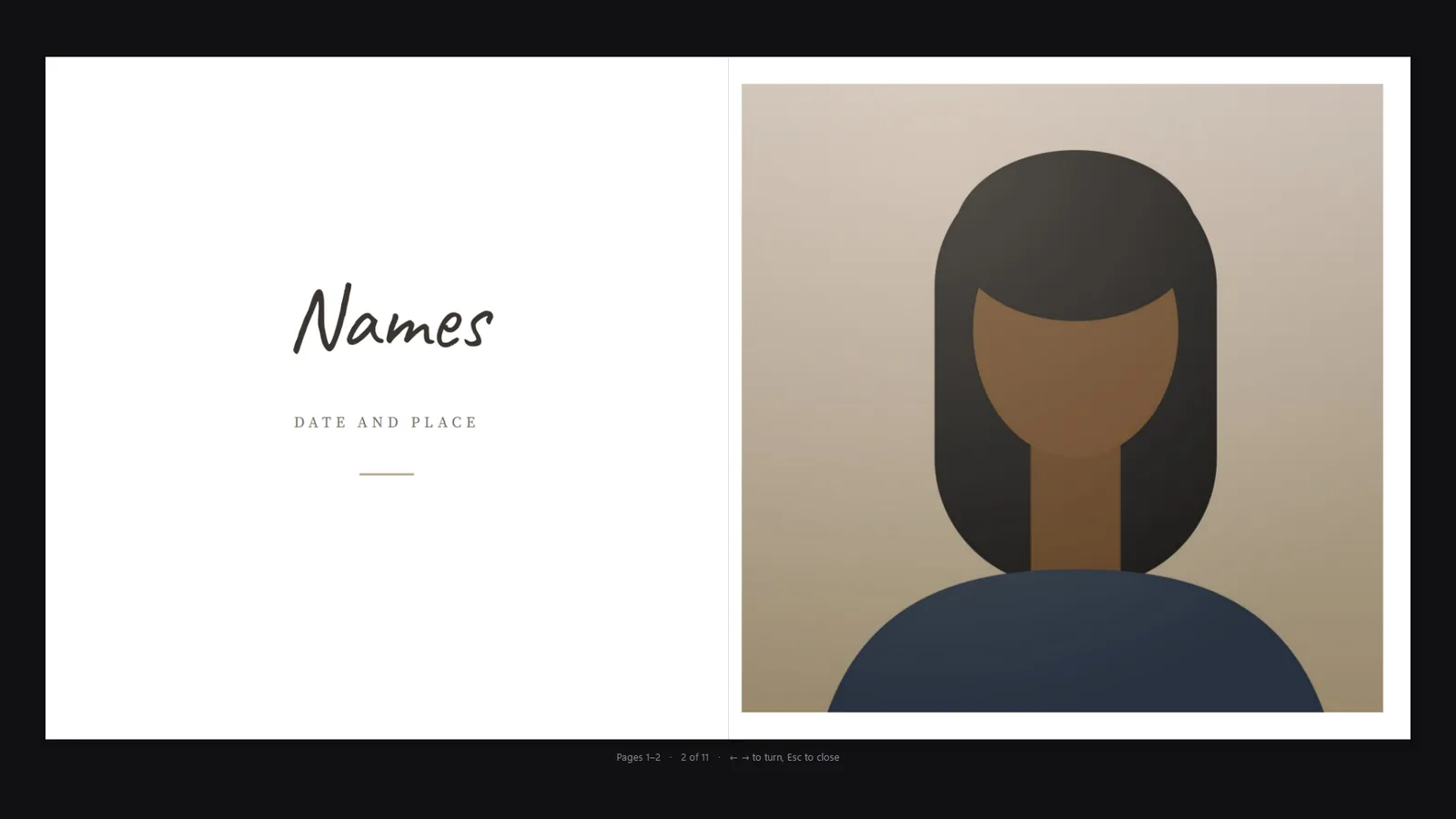
Undo across the whole book, up to 500 steps; snapshots to go back to and compare; locks on spreads you're happy with and spreads the client approved. A book never changes your photos, and an edit made in the Editor shows up in the book.
Finish
Show it, send it, print it
Keyboard
Keys worth knowing
| Key | Does |
|---|---|
| PgUp · PgDn | Previous / next spread |
| Ctrl+Shift+N · Ctrl+Shift+D | New spread / duplicate spread |
| F | Fit or fill the photo in its frame |
| Shift+F | Shape the frame to the photo |
| L · Shift+L | Other layouts for this spread / shuffle |
| C | Reframe the photo |
| E · T · R · G | Add a photo frame, text, a shape, a graphic |
| Ctrl+L | Step through the locks |
| Ctrl+E | Open the photo in the Editor |
| F5 | Full-screen preview |
| Ctrl+K | Command palette |
Every kind of book
Who it's for
Questions
Can Pinner Studio design a wedding album automatically?
Yes. Choose your picks, a look and a size, and Auto-design lays out the whole album in story order, with the best frame of every burst, heroes on the big frames and faces kept out of the fold. You see a preview first, and can try another design or change any spread by hand.
Which album sizes and bindings does it support?
Seventeen ready sizes across flush-mount, layflat, hardcover, softcover, magazine, portfolio prints, yearbook and parent albums, and a Size & binding editor to match any lab exactly: trim, bleed, safe area, gutter and page steps.
How does my client approve the album?
Make a proof for the client: they open it in any browser, with nothing to install and no account, and approve, comment on or ask for a different photo on each spread. Their signed reply file comes back into Pinner, and approved spreads lock.
What files does the lab get?
Every spread as JPEG or TIFF, or the whole book as PDF/X-4 with trim and bleed boxes, the cover flat with spine, a spec sheet and the print-check report, all in one ZIP.
Will I know if a photo won't print sharp?
Yes. The Check panel flags photos enlarged too far, faces or text in the fold, items too near the trimmed edge, fonts that can't be embedded and more, each with a button to fix it.
Can I make parent albums from the main album?
Yes. Move the whole design onto a smaller size spread by spread, or make a smaller book of the favourites in the same style. Parent albums stay linked to the main book.
Keep exploring
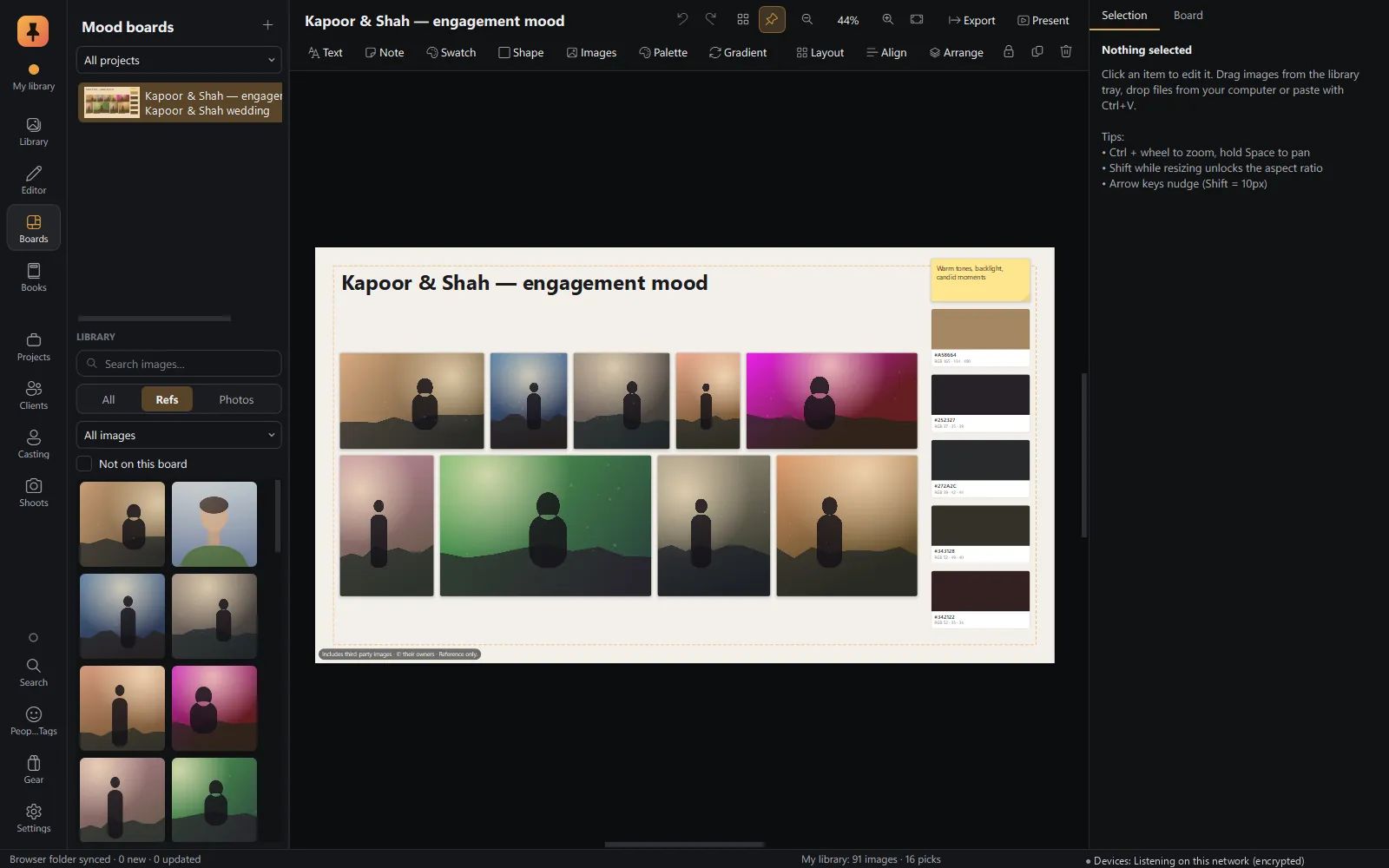 Mood boardsA free-form canvas fed straight from the browser, with a client-ready present mode.Explore Mood boards
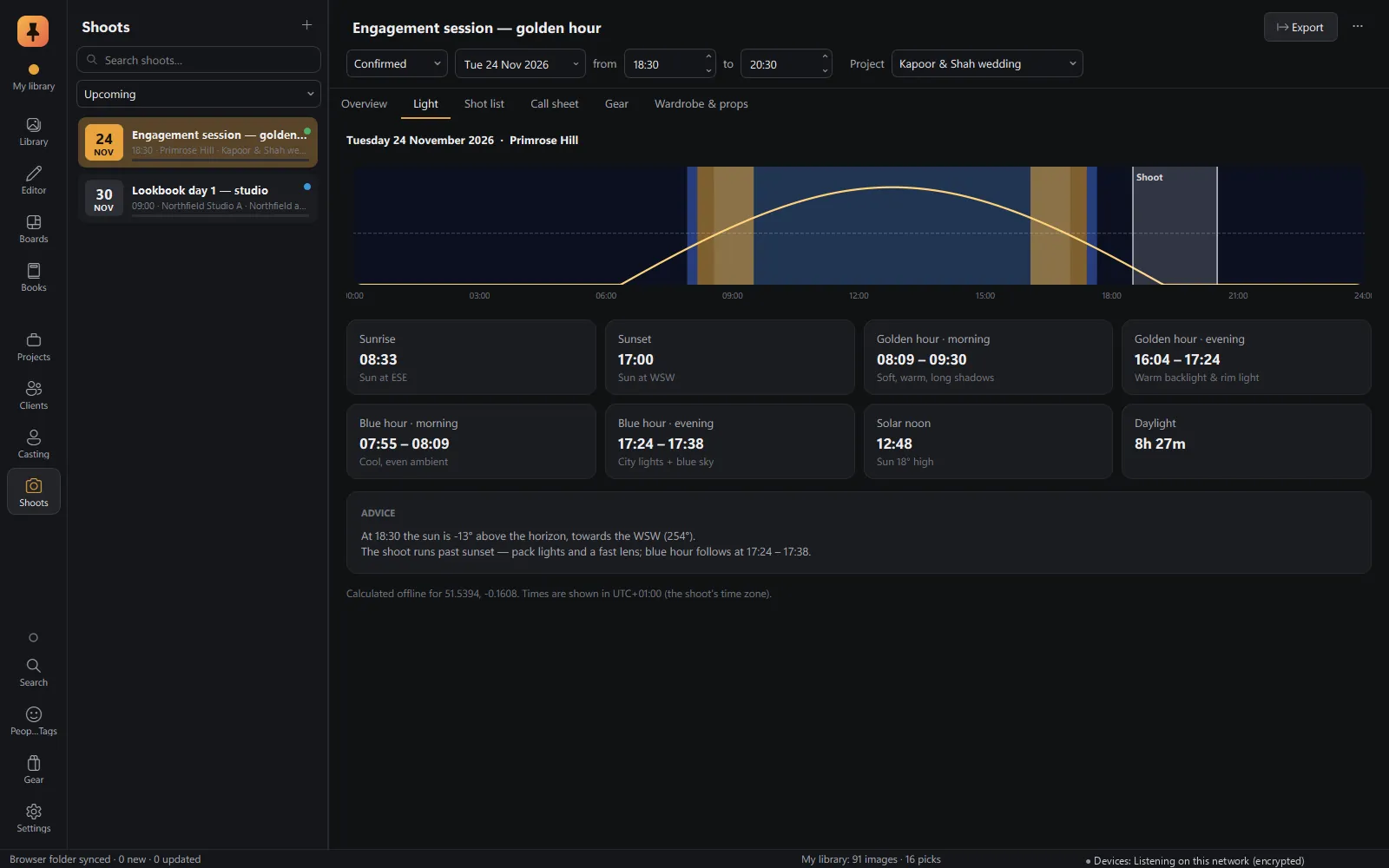 Shoot planningLocation, golden and blue hour, shot lists, call sheets, gear and wardrobe.Explore Shoot planning
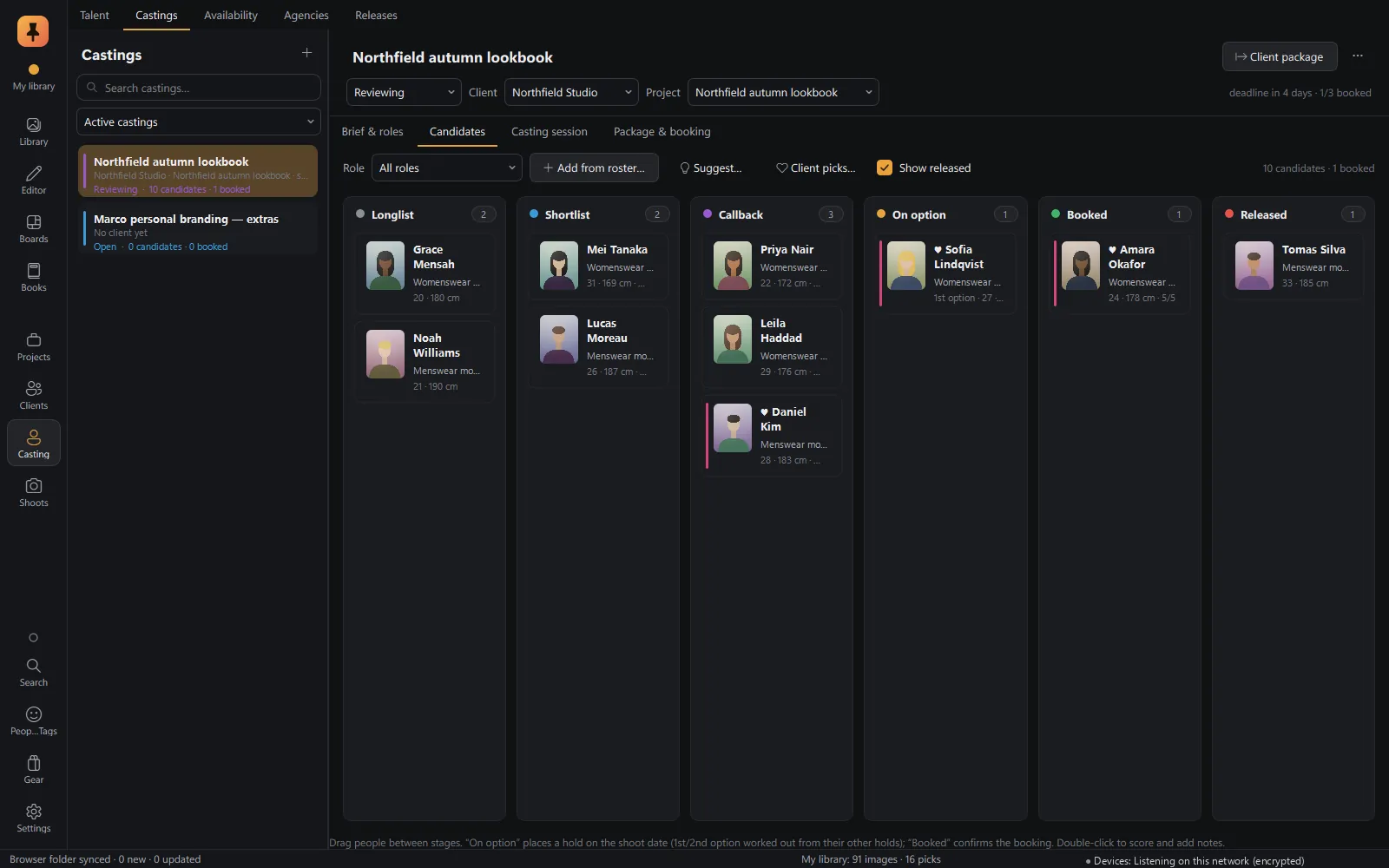 CastingTalent database, castings and roles, candidate pipeline, comp cards and releases.Explore Casting
Private alpha · Applications open
Try Pinner Studio before anyone else.
Pinner Studio and the Pinner browser extension are being tested now by a small group of working photographers on Windows 10 and 11. Apply in two minutes; we read every application.