

Pinner Studio · Private alpha
Your whole photo studio. On your computer.
Save references from the web, plan the shoot, cast it, cull it, edit it, design the album and send the invoice, all in one private app. No account, no cloud.
Windows 10 and 11 · Browser extension for Chrome, Edge, Brave and other Chromium browsers
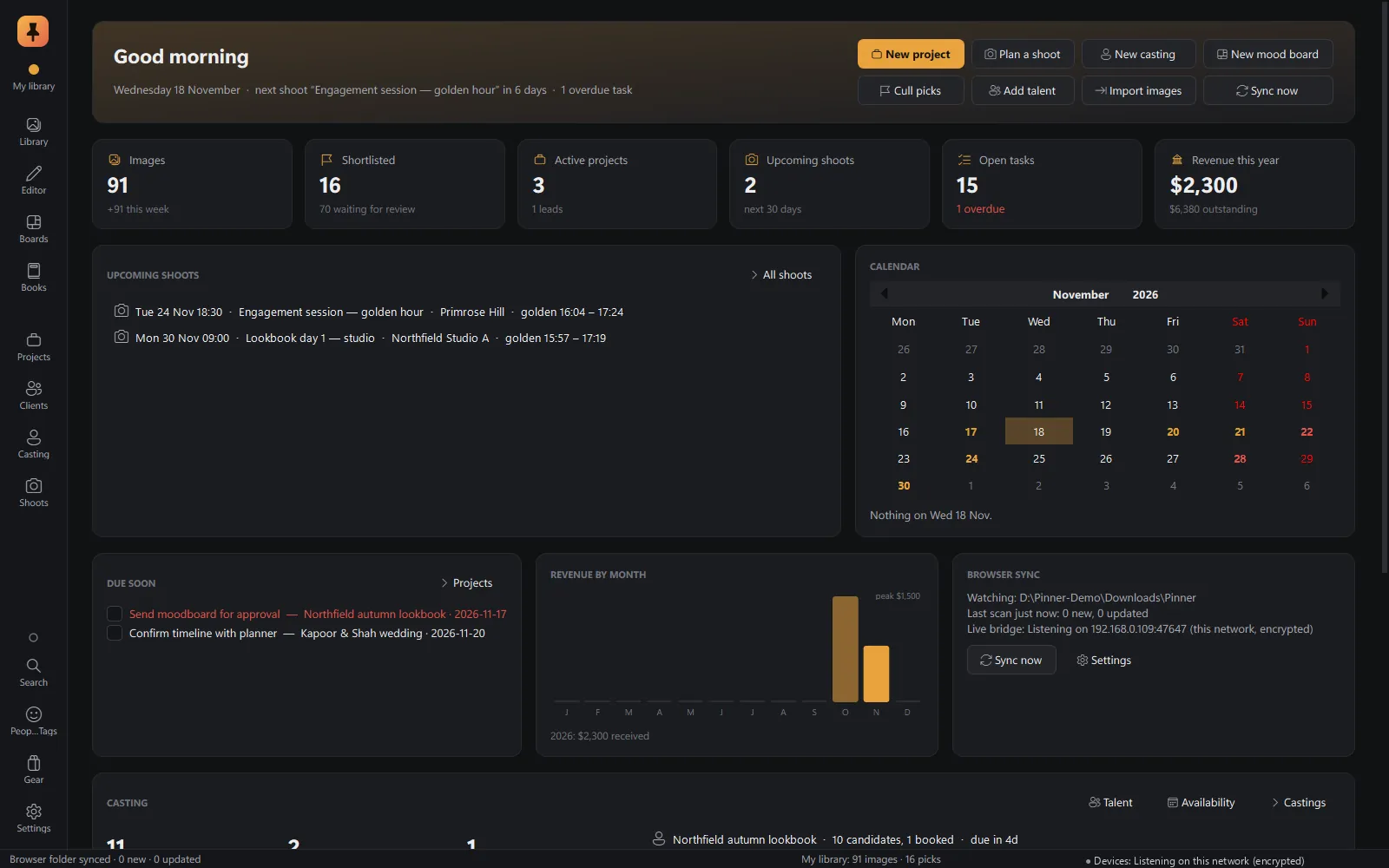
Why Pinner
Six tools, six logins, six copies of your work. Or one studio.
Today a working photographer juggles six or more tools: a pinning site or a screenshots folder for references, a planning app, spreadsheets for casting, a culling app, a photo editor, an album designer and invoicing software. Each has its own login and subscription, and each stores a copy of the work on someone else's server.
Pinner replaces that stack with one ecosystem whose parts work together, and all of it stays on your computer.
Two parts, one library.
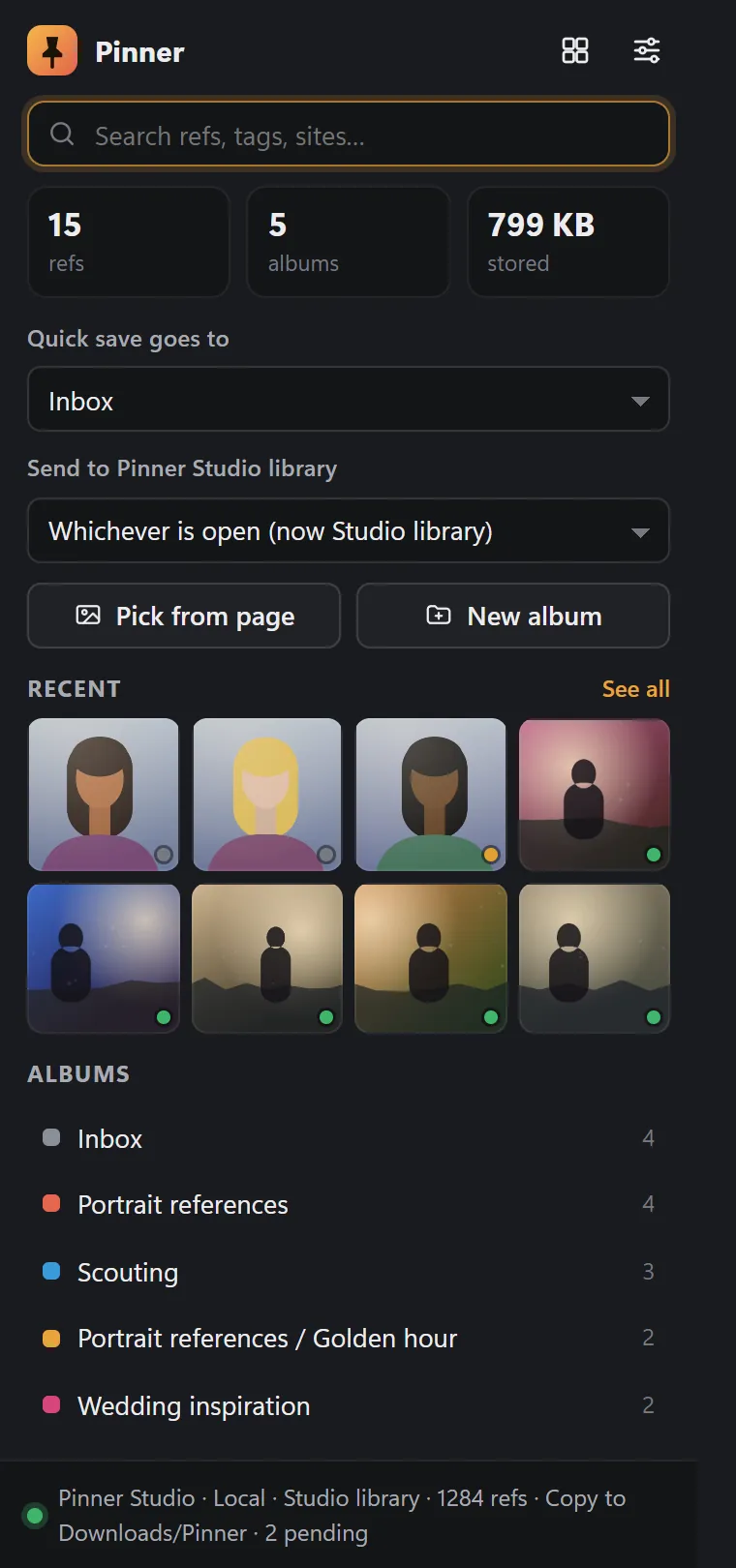
 Pinner extensionChrome, Edge, Brave and other Chromium browsersRecent · OutboxPinner StudioYour computer: the master library
- Library
- Cull
- Editor
- Boards
- Books
- Shoots
- Casting
- Projects
- Clients
- Gear
- AI
Studio is the master copy. The extension is its eyes in the browser. If Studio is closed, the extension keeps refs in its Outbox and delivers them next time Studio runs. Nothing is lost.
Connected
Find it in the browser. It's already in your project.
Right-click: Save ref to board, Scout talent…, Mark this place for shoot. Refs arrive in Studio within seconds, each with an In Pinner Studio tick.
The browser extension →Private
No account. No cloud. No one else's server.
A local library, on-device AI, a licence checked offline, and a browser extension that talks to Studio directly on your computer. No accounts and no analytics.
Privacy-first →Professional
Pro-grade where it matters.
A RAW editor built on film colour, with masks, lens corrections, HDR and panorama merge, soft proofing and scopes. A book designer that auto-designs albums and exports lab-ready PDF/X-4. Casting with comp cards and releases. Invoices with payments.
Every feature →How it works
From ref to invoice
Nine steps of a real job, in one app. Every picture here is a real screenshot of Pinner Studio, with invented demo data.
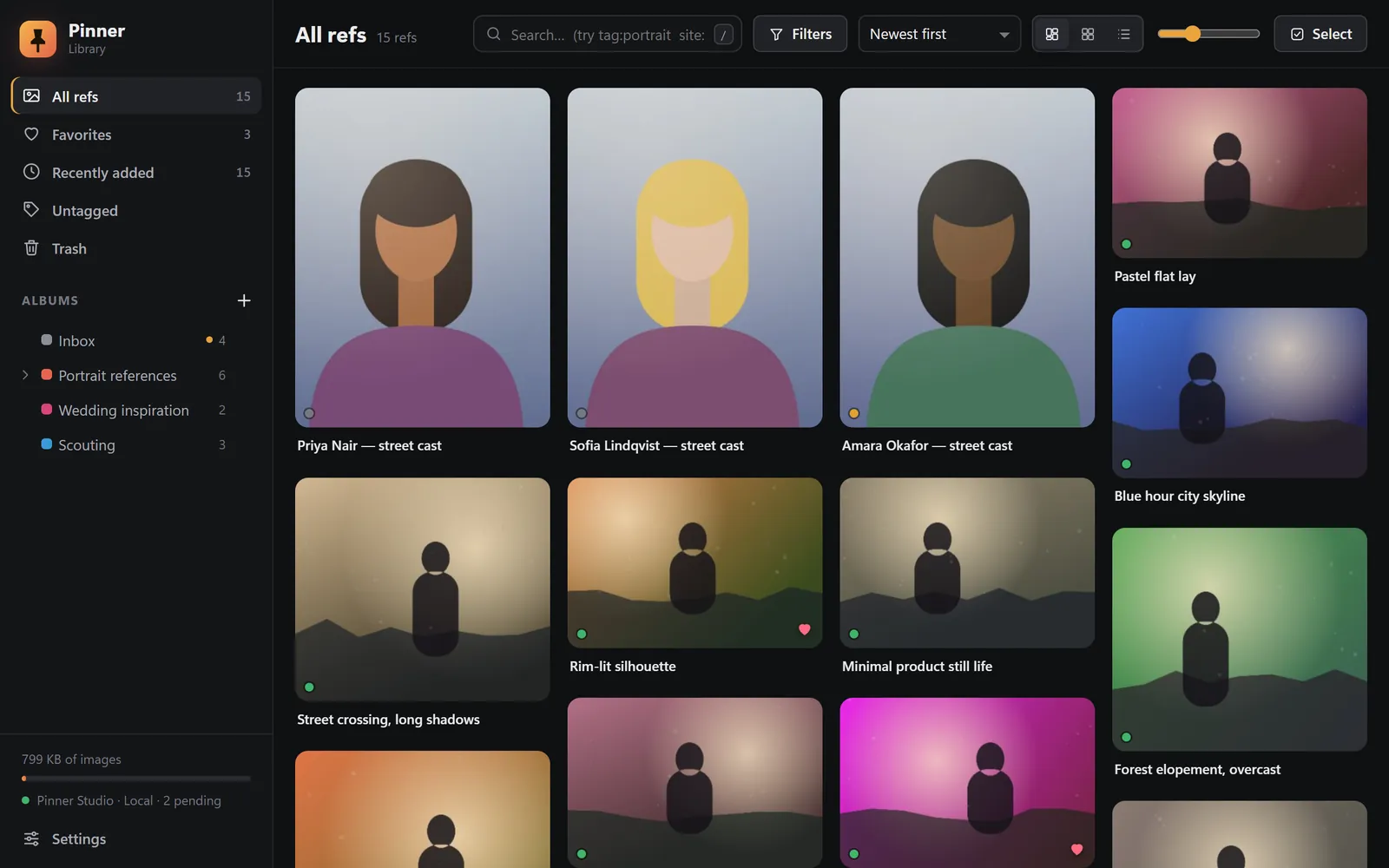
1Find
Right-click any image. It's a ref.
Save a picture from any web page with one right-click, at full resolution, with the page it came from and the photographer's credit.
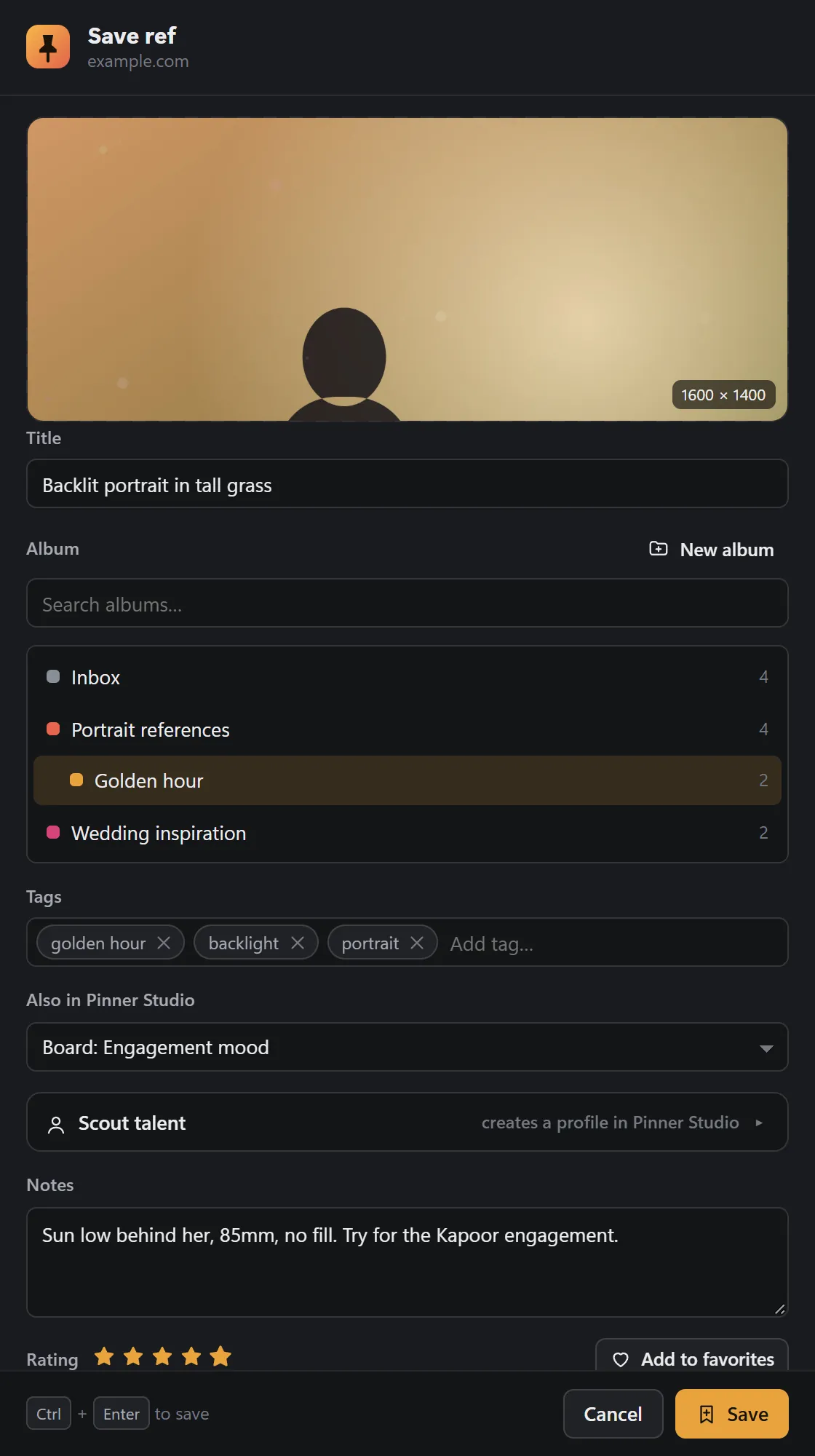
2Collect
Add tags, a rating, and drop it straight onto a board in Studio.
Title it, file it, tag and rate it, and put it onto a project, a mood board or a shoot's shot list at the moment you find it.
3Plan
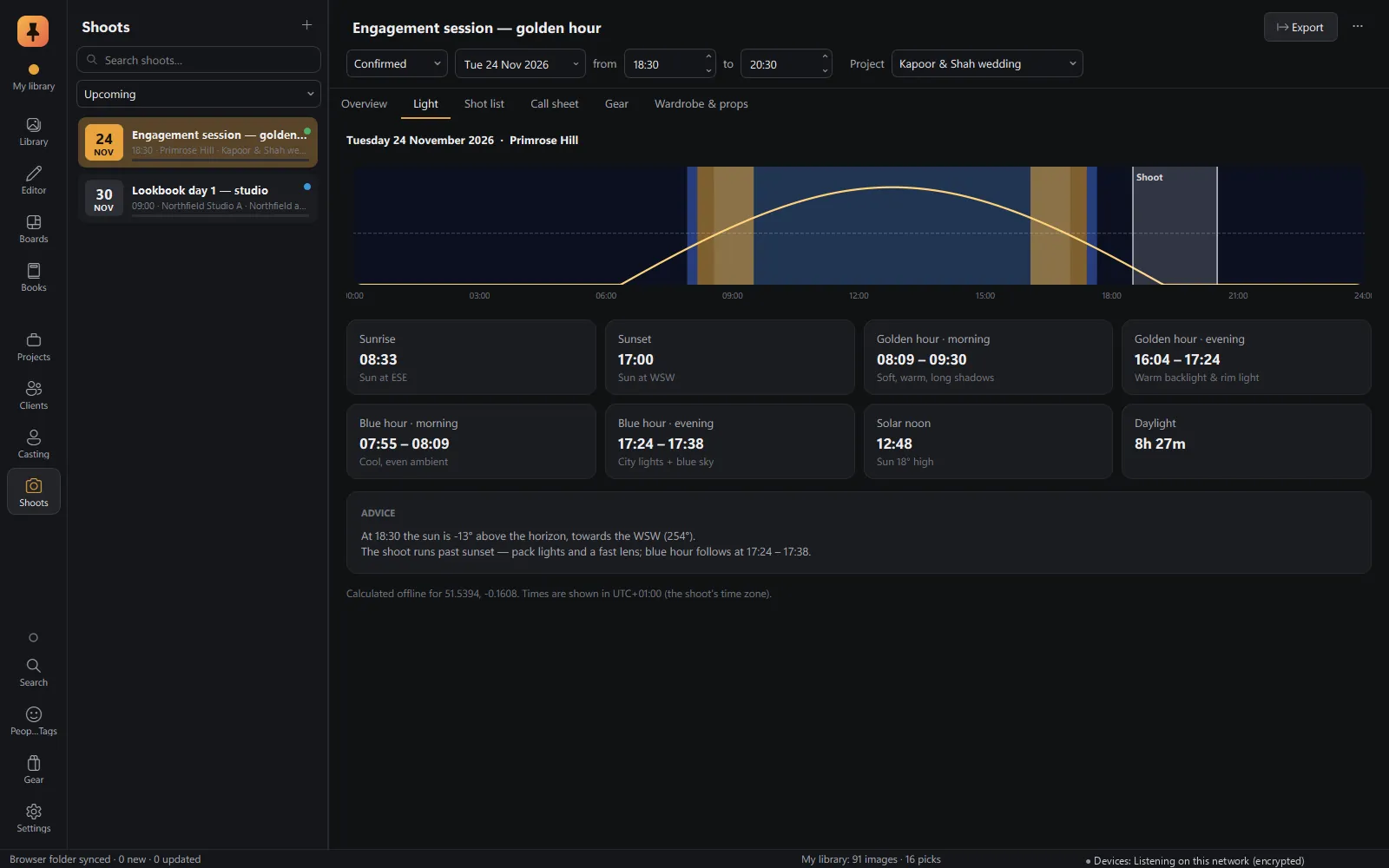
Mood board, location, golden hour, shot list.
Arrange refs on a free-form mood board, then plan the shoot: the place, the date, sunrise, golden and blue hour, the call sheet and the gear.
4Cast
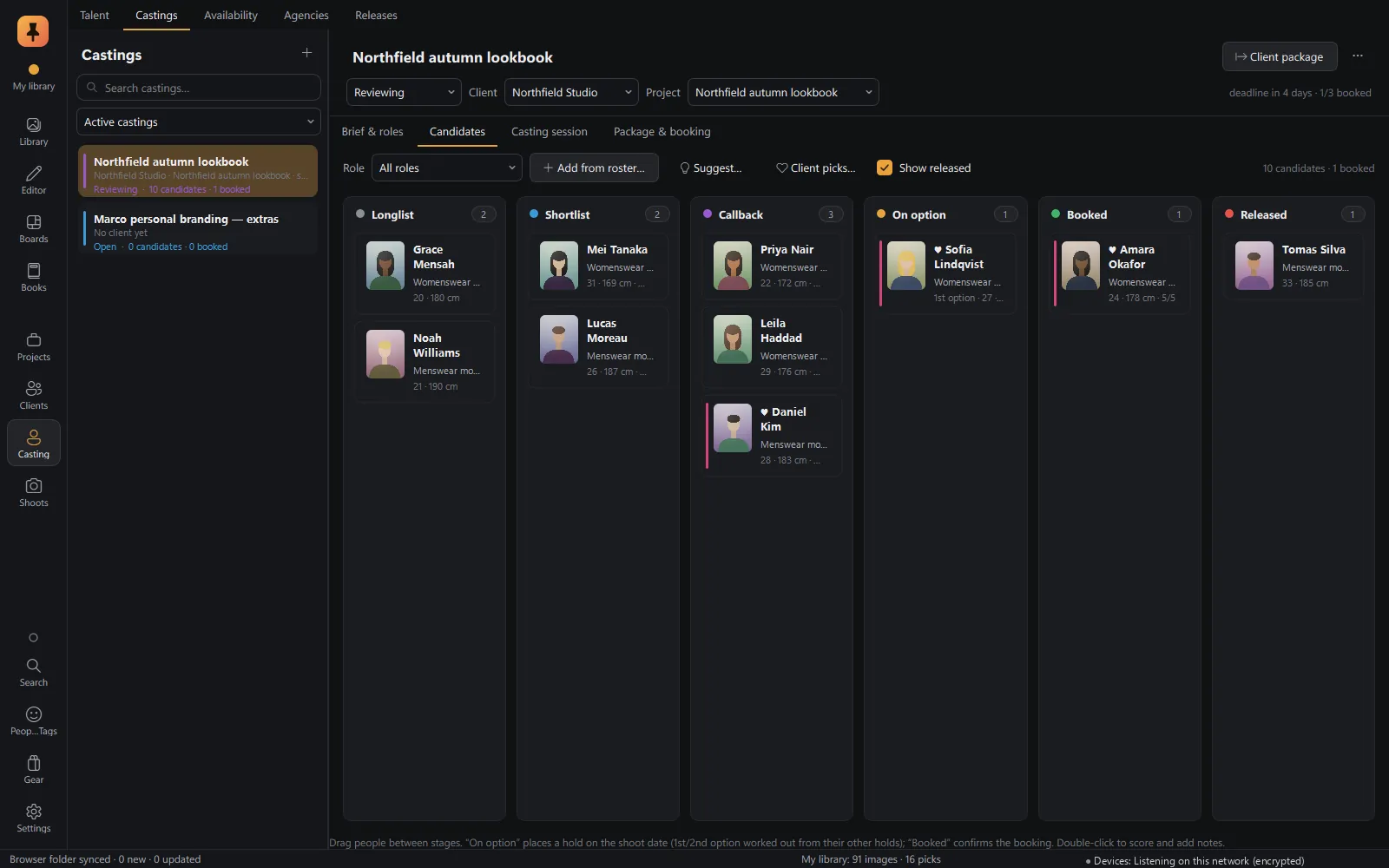
Spot a face online, scout them into the casting.
Scout talent from a web page into a profile and straight into a casting role, then follow candidates from shortlist to booked.
5Shoot & ingest
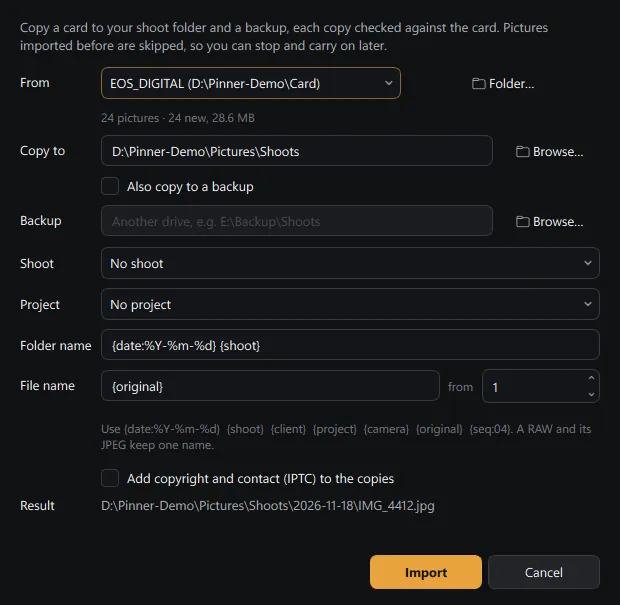
Card to drive, with a verified backup, in one pass.
Copy a card to your shoot folder and a backup at the same time, with every copy checked, renamed by template and filed by date.
6Cull
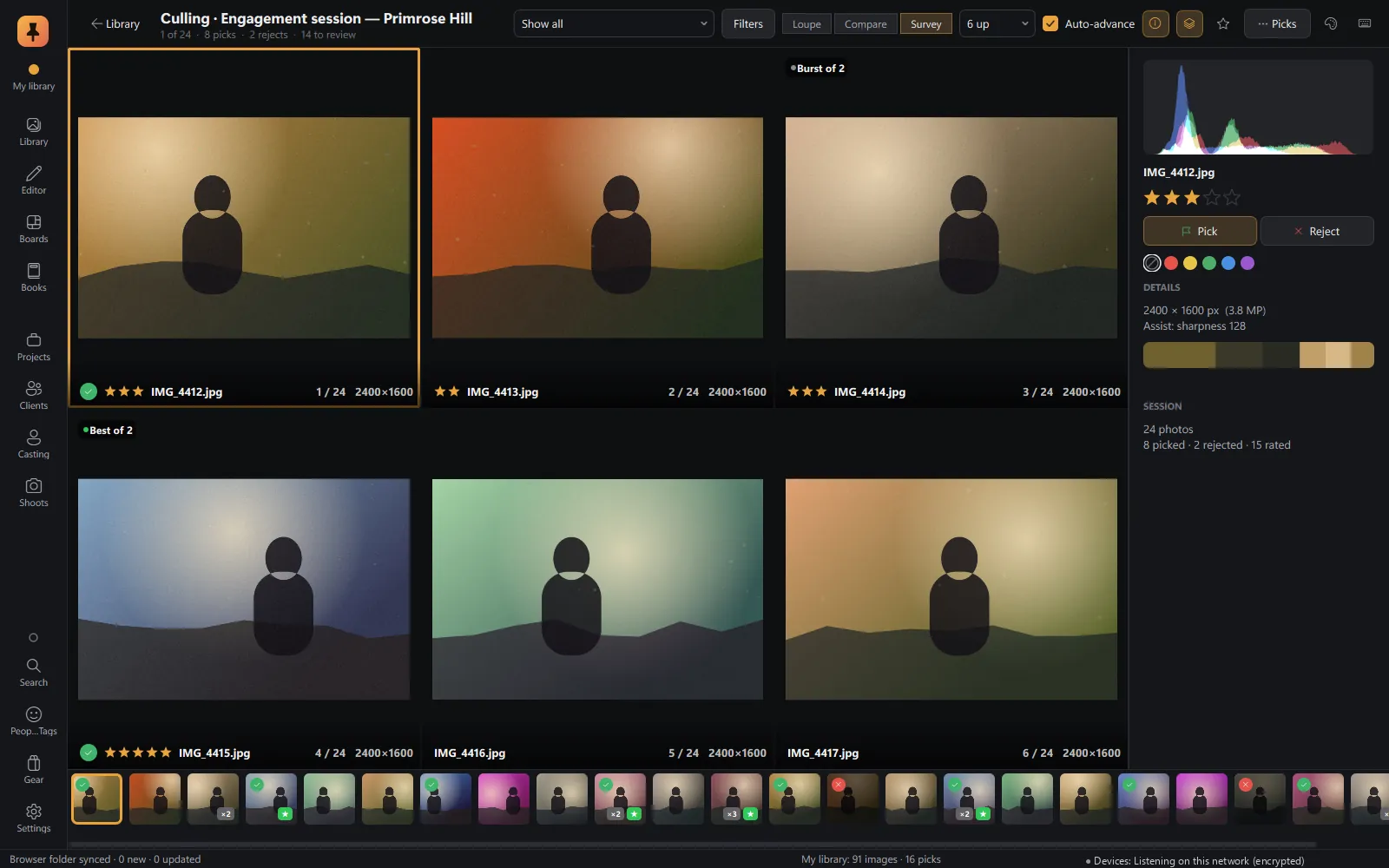
Picks in minutes, with sharpness and eyes-closed checks done for you.
Loupe, Compare and Survey with single-key picks. Culling assist judges sharpness against the burst and spots closed eyes, on your computer.
7Edit
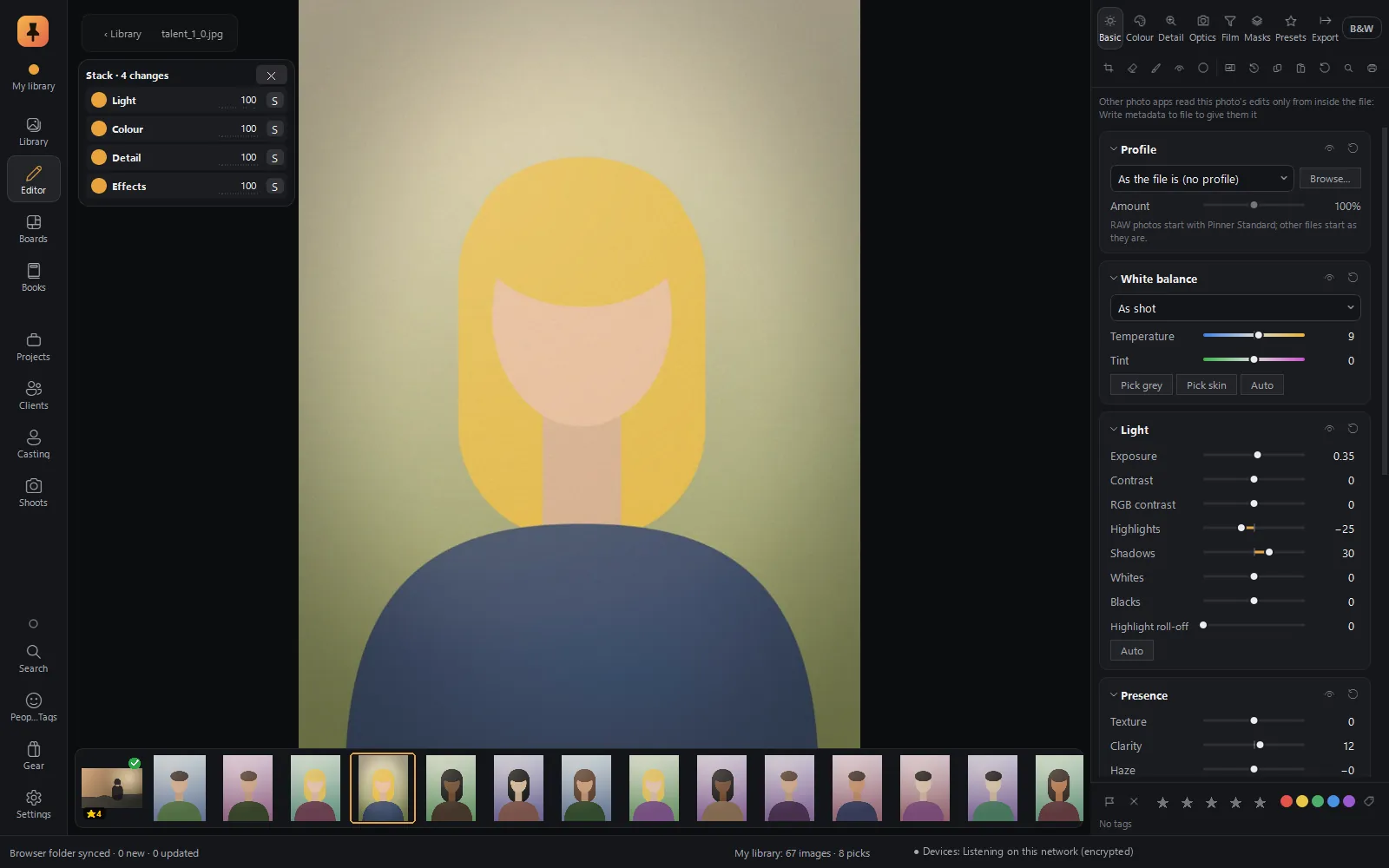
Edit like you think about a picture.
A RAW editor built on film colour science, where every edit is a card you can switch off, history branches, and you can type warmer, lift the shadows. The original is never touched.
8Design
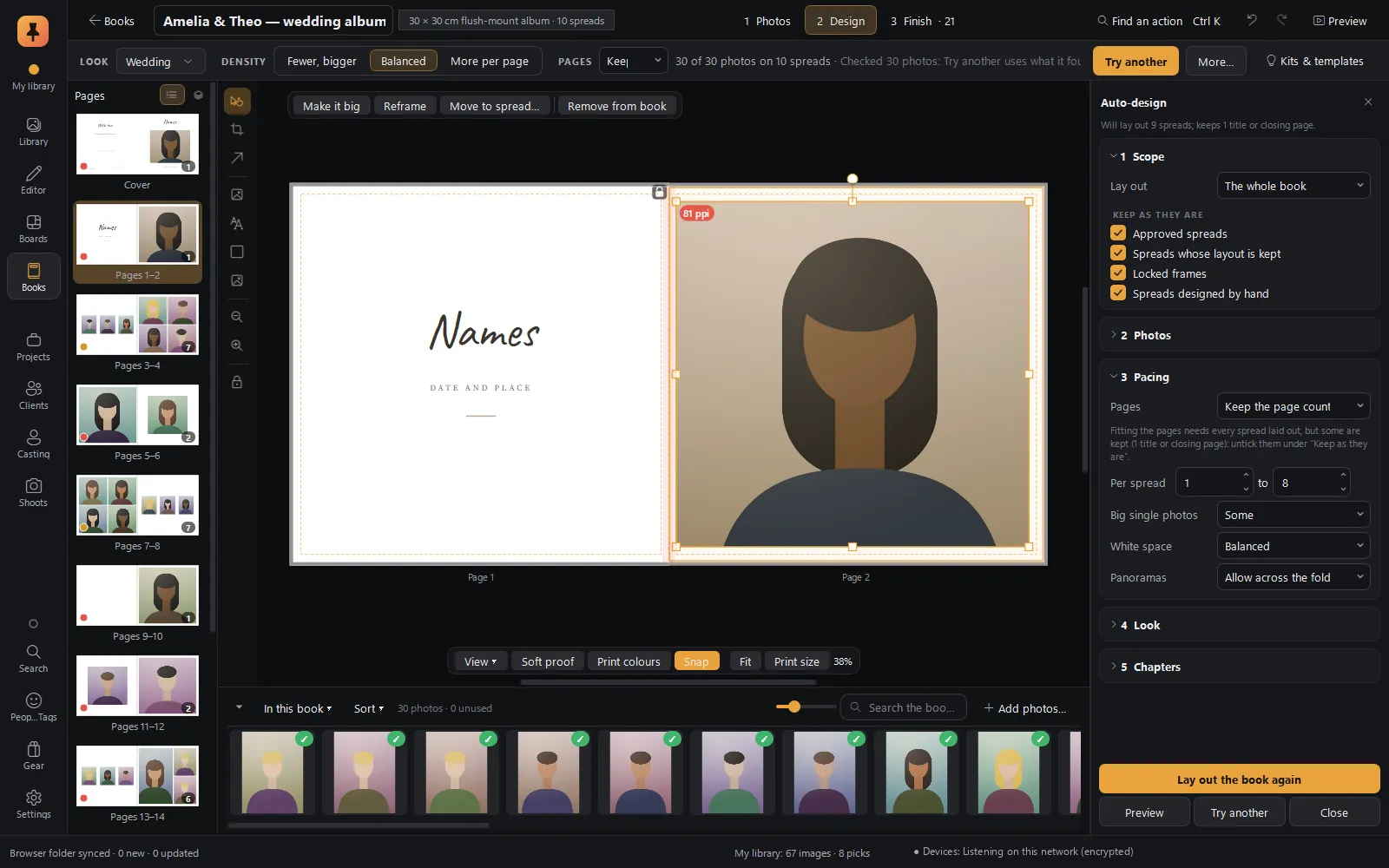
From the last frame to the finished album.
Auto-design lays out the book in story order with faces out of the fold, Check finds every print problem, the client approves spread by spread, and the lab gets PDF/X-4.
9Deliver & get paid
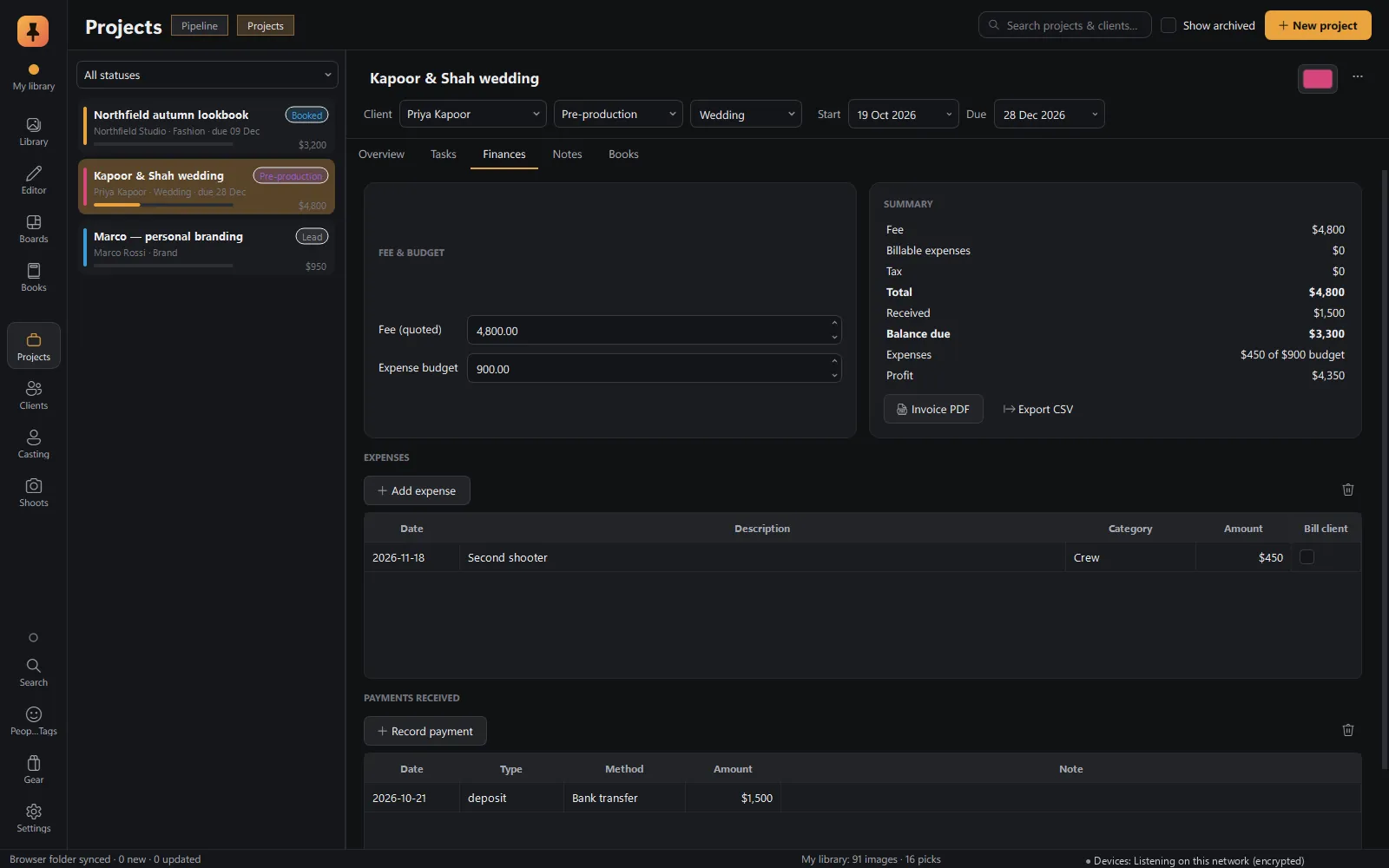
Quote, invoice, payments. Done.
Every project keeps its quote, invoice PDF, expenses and payments, with the balance worked out for you.
What makes Pinner different
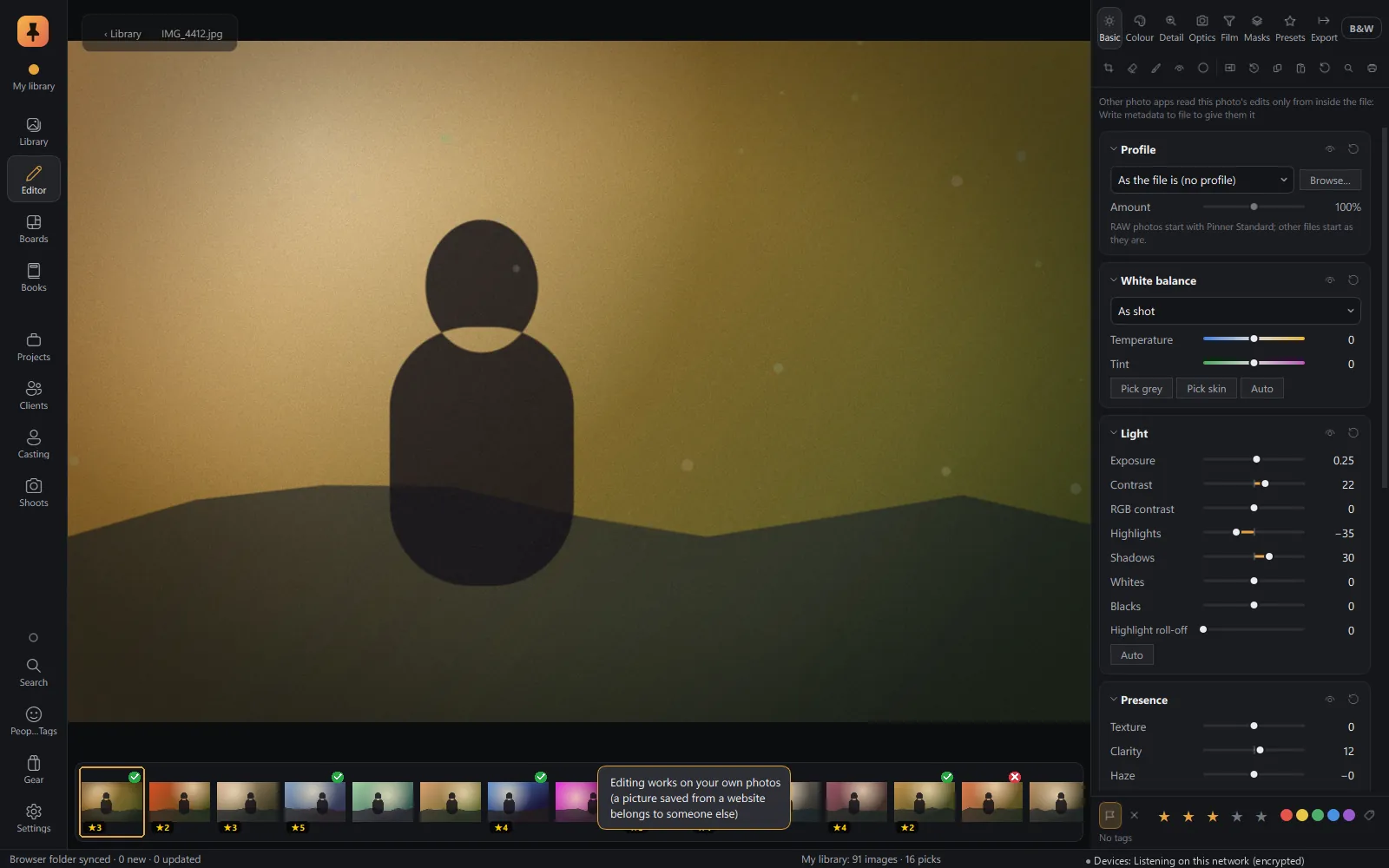
Credit where it's due
Pinner always knows which pictures are yours and which were saved from the web. Web refs carry their source page and credit, and can't be edited as if they were your own photos.
Built for working photographers
Not hobby pinning: a sun and golden-hour planner, call sheets, gear checklists, model releases, measurements, agencies and invoice PDFs.
Open formats out
Edits are also written to industry-standard XMP sidecars that other major photo editors can read. Export JPEG, TIFF, AVIF, JPEG XL and Ultra HDR, books as PDF/X, data as CSV and ICS.
Private by design
Your work never leaves your computer.
No account to make, nothing uploaded, and the AI runs on your own machine. Your library is just a folder you can back up, move to a NAS or take on a drive.
No account
The app runs fully offline and never asks you to sign in.
On-device AI
Tags, faces, mature-content blur and culling checks run on your computer.
Direct browser pairing
The extension talks to Studio on your computer. No Pinner server in between.
No analytics
Nothing about how you use the app is collected.
Who it's for
Every part of the job
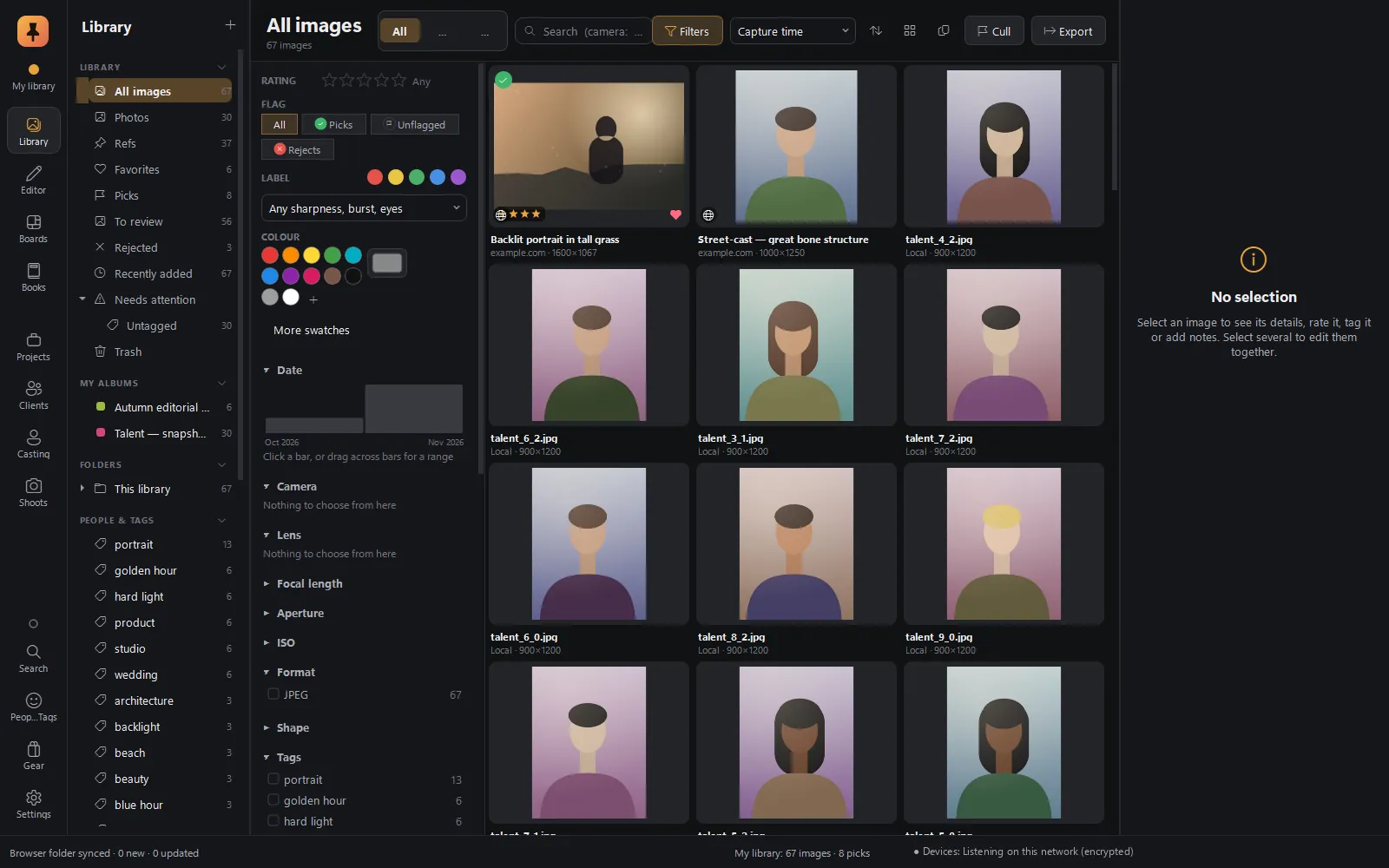 Library & ingestYour photos and web refs in one library: camera-aware search, live filters, card ingest with a verified backup.Explore Library & ingest CullingLoupe, Compare and Survey, with on-device sharpness, eyes-closed and burst checks.Explore Culling RAW editorFilm colour science, edits as cards in a Stack, branching history, Explore, and a command bar you type into.Explore RAW editor
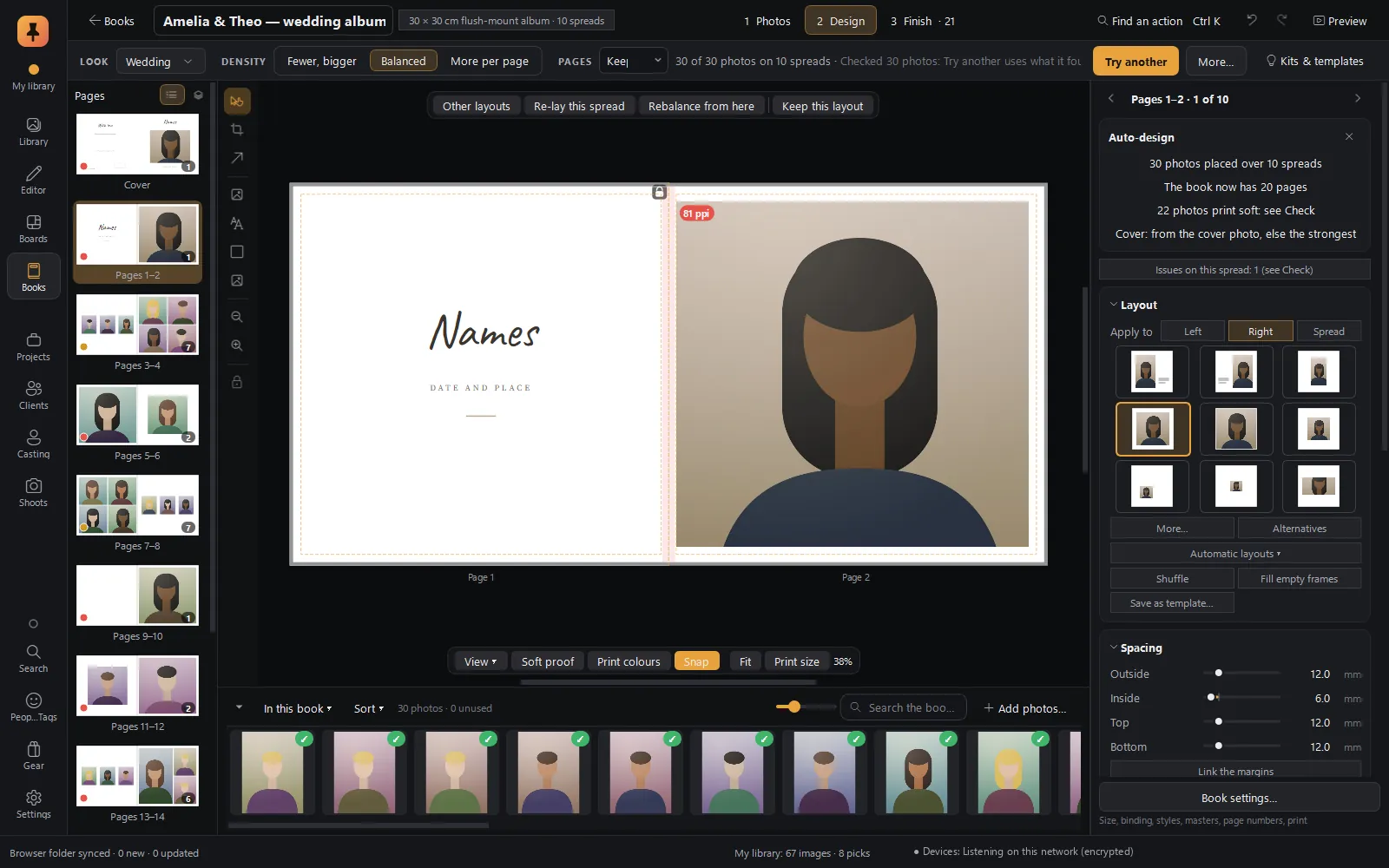 Albums & booksAuto-designed albums in story order, print checks with fixes, client approval spread by spread, lab-ready PDF/X-4.Explore Albums & books
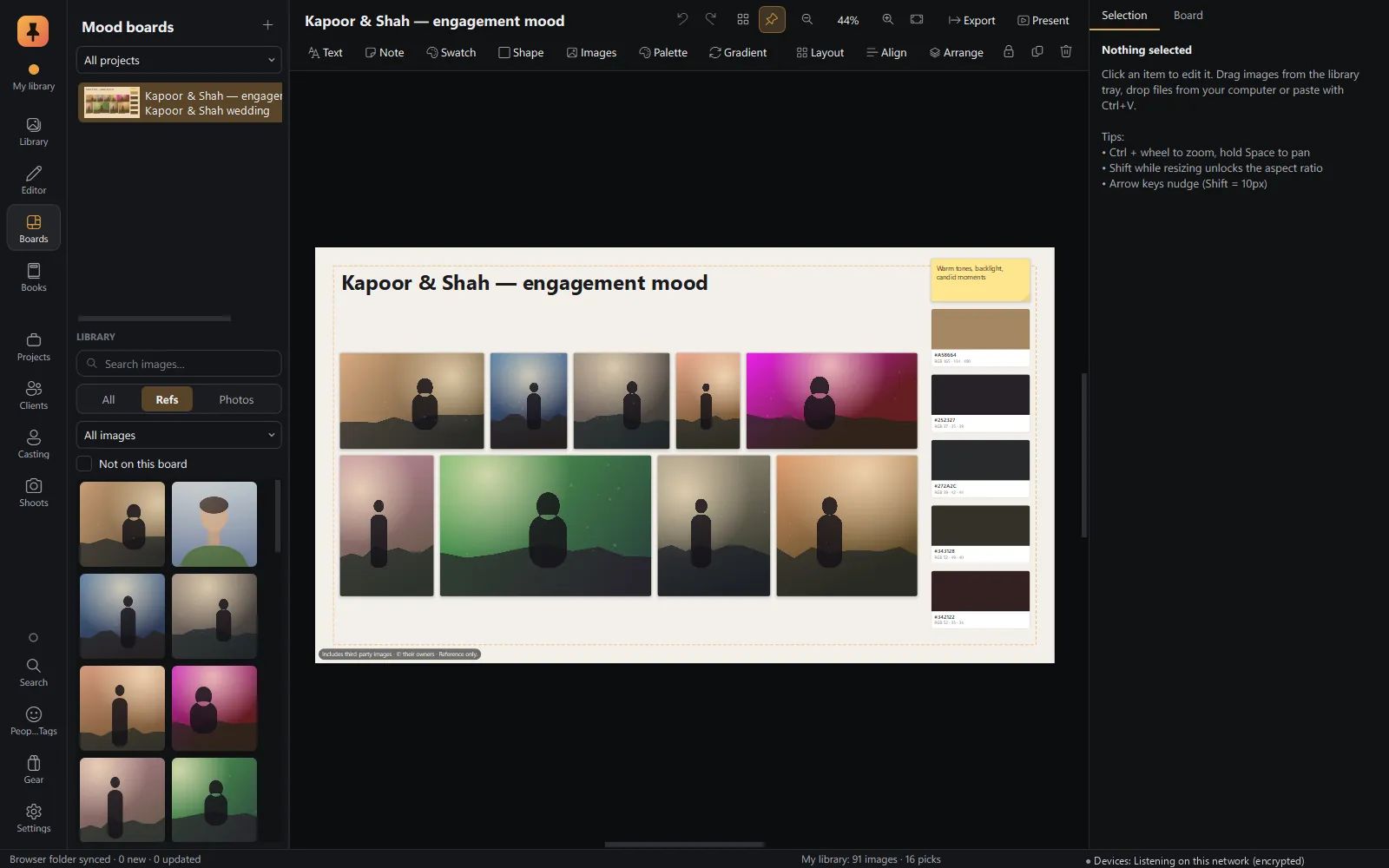 Mood boardsA free-form canvas fed straight from the browser, with a client-ready present mode.Explore Mood boards Shoot planningLocation, golden and blue hour, shot lists, call sheets, gear and wardrobe.Explore Shoot planning CastingTalent database, castings and roles, candidate pipeline, comp cards and releases.Explore Casting Projects & businessProjects from lead to delivered, clients, tasks, invoices, payments and gear.Explore Projects & business
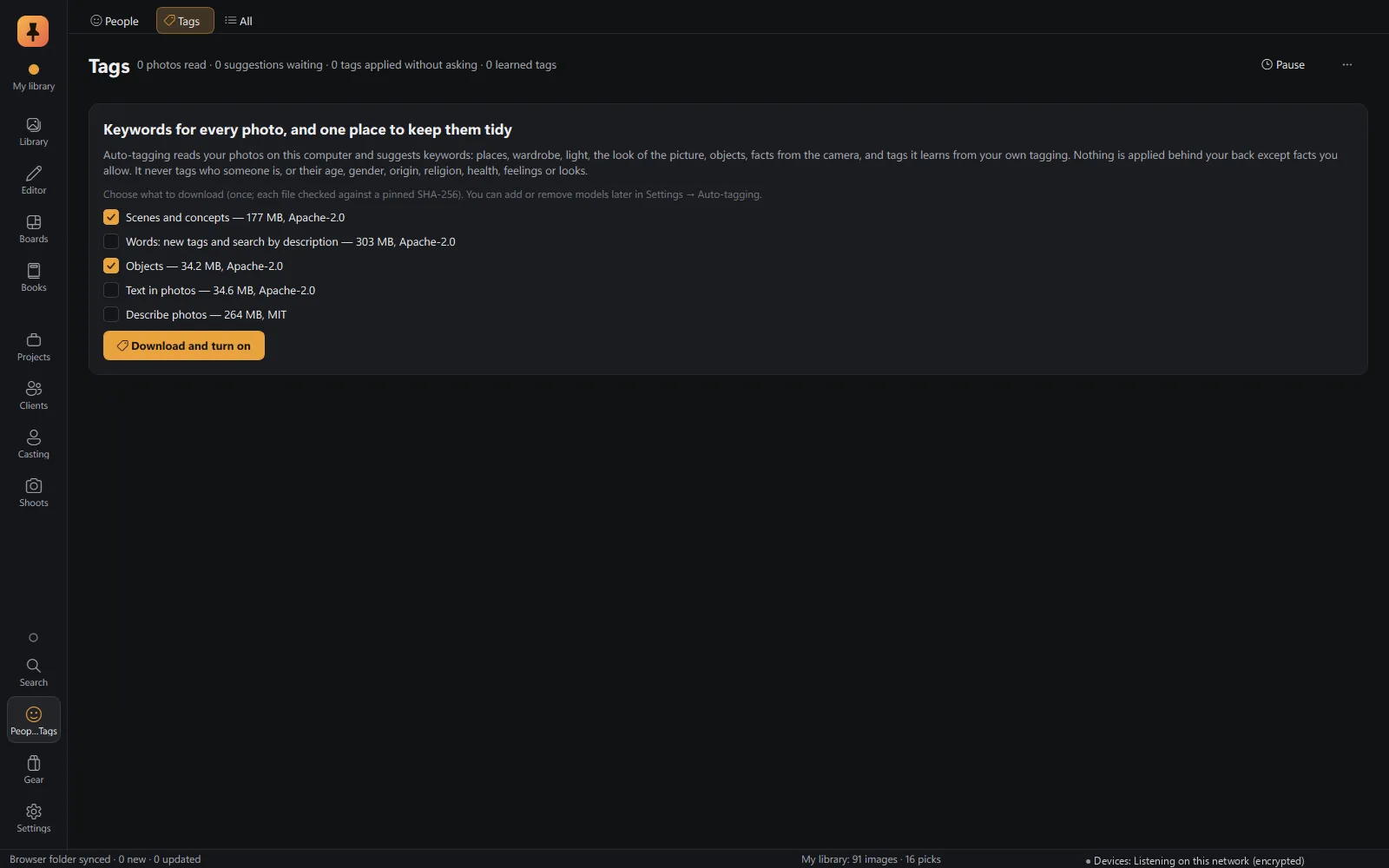 On-device AIAuto-tagging, face recognition, mature-content blur and culling checks, all on your computer.Explore On-device AI
System requirements
What you need
- Computer
- Windows 10 or Windows 11, 64-bit.
- Graphics
- Optional. The editor uses your graphics card when there is one (Settings → Performance).
- Disk
- The app plus your library. AI models are downloaded only when you turn a feature on.
- Browser extension
- Chrome, Edge, Brave and other Chromium browsers.
Questions
Do I need an account?
No. Pinner Studio runs fully offline and never asks you to sign in, and the browser extension needs no account either.
Are my photos uploaded anywhere?
No. Your library is a folder on your computer, and the AI runs on your computer. The only things that can reach the internet are listed in Settings → Privacy & network, such as an optional place-name fill, and each can be switched off.
Which computers does Pinner Studio run on?
Windows 10 and Windows 11, 64-bit. A graphics card is optional; the editor uses one when it is there.
Which browsers does the extension work in?
Chrome, Edge, Brave and other Chromium browsers.
Can other photo editors read my edits?
Yes. Edits, ratings, labels and keywords are also written to industry-standard XMP sidecars that other major photo editors can read, and Pinner reads XMP edits and presets made elsewhere.
Can Pinner Studio design wedding albums and photo books?
Yes. Auto-design lays out an album from your picks in story order, Check finds anything that won't print well, clients approve spread by spread, and the lab gets PDF/X-4 files. See Albums & books.
Does Pinner Studio change my original RAW files?
No. Edits are stored as a short recipe, and the original file is never written to, by the Editor or by any export.
What if Pinner Studio is closed when I save a ref?
The extension keeps the ref in its Outbox and delivers it the next time Studio runs. Nothing is lost.
How can I get Pinner Studio?
Pinner Studio is in a private alpha with a small group of working photographers. Apply for the alpha; we read every application.
Private alpha · Applications open
Try Pinner Studio before anyone else.
Pinner Studio and the Pinner browser extension are being tested now by a small group of working photographers on Windows 10 and 11. Apply in two minutes; we read every application.